
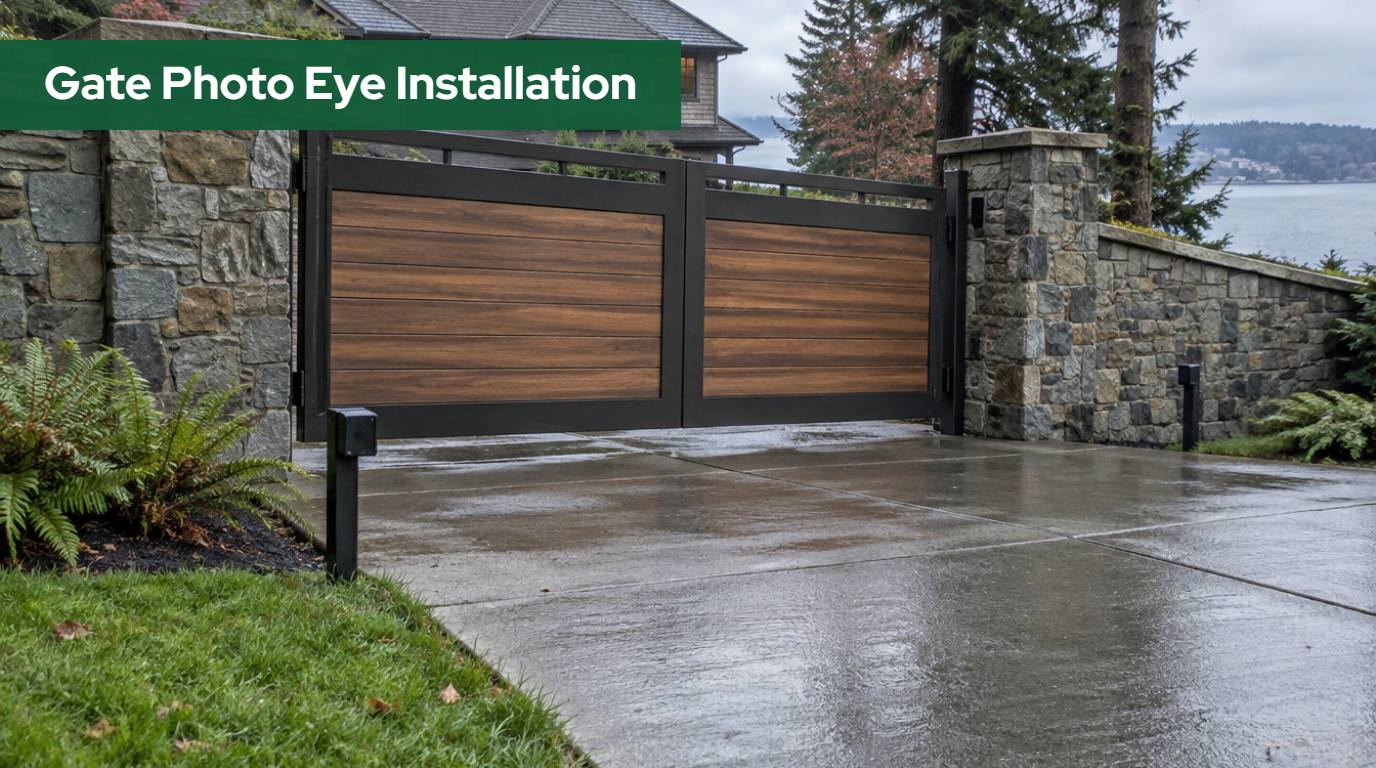
Gate photo eye installation in Washington looks like a small job: two little sensors on short posts, a beam across the driveway, a few wires back to the operator. It is also the part of an automatic gate that most often decides whether the system is safe, whether it passes a fire marshal’s look, and whether it annoys you every rainy morning by stopping for no reason. A photo eye in the wrong spot protects the wrong area. A photo eye at the right spot but the wrong angle trips every time the low winter sun hits it.
This guide explains what a gate photo eye actually does, how many a swing or slide gate needs under UL 325, where each one goes, how high to mount it, what Northwest Washington weather does to it, and who is allowed to wire it under Washington rules. It is written for homeowners, farm and acreage owners, HOA boards and property managers in Skagit, Whatcom, Snohomish, Island, San Juan, King and Pierce counties who want to understand the layout before anyone digs a trench.
Quick answer
A gate photo eye is a non-contact safety sensor that stops or reverses the gate when its beam is blocked. UL 325 requires two independent entrapment protection means per entrapment zone, all external devices monitored. In Washington, place eyes across each zone the gate passes through, at the height the operator manual specifies.
In this guide
- What gate photo eye installation in Washington has to achieve
- How many photo eyes does a gate need under UL 325?
- How to find the entrapment zones on your gate
- Where photo eyes go on a swing gate
- Where photo eyes go on a slide gate
- How high should a gate photo eye be mounted?
- Thru-beam, retro-reflective and wireless photo eyes
- What “monitored” means and why jumpers are not allowed
- Rain, fog, low sun and moss in Northwest Washington
- Wiring, conduit and who can do the work under L&I
- Photo eyes at HOA, multi-family and commercial gates
- Testing photo eyes and retrofitting an older gate
- When a photo eye keeps stopping the gate
- How we approach photo eye installation
- Frequently asked questions
What Gate Photo Eye Installation in Washington Has to Achieve
A photo eye is a pair of optical parts: a transmitter that sends an infrared beam and a receiver (or a reflector bounced back to a combined unit) that watches for it. When something breaks the beam, the sensor changes its output and the gate operator reacts. Depending on the direction it protects and how the operator is set up, the gate stops, reverses, or refuses to start.
The point of the device is people. ANSI/CAN/UL 325, the safety standard gate operators are listed to, defines entrapment as the condition when a person is caught or held in a position that increases the risk of injury. A moving gate carries real force, and the places where it moves close to a post, a wall, the ground or another fixed object are where someone can be caught. A photo eye is one of the approved ways to detect a person in those places before the gate reaches them.
In Washington the standard is more than a recommendation on paper. The International Fire Code section on electric gate operators, adopted statewide through WAC 51-54A, calls for gate operators listed to UL 325 and gates built to ASTM F2200, the construction standard for automated vehicular gates. A fire-access gate that ignores those standards is a problem with the fire marshal as well as a safety problem.
How Many Photo Eyes Does a Gate Need Under UL 325?
The short answer is “enough to give every entrapment zone two independent means of protection,” and our guide to automatic gate safety standards under UL 325 and ASTM F2200 covers the standards in depth. DASMA’s TDS 353 on vehicular gate operators and UL 325 quotes section 32.1.1 of UL 325: a vehicular gate operator shall have provisions for, or be supplied with, a minimum of two independent entrapment protection means for each entrapment zone, and shall operate only after the minimum number of means has been installed and enabled.
UL 325 lists the types of protection that count. A photo eye is only one of them.
| UL 325 type | What it is | Allowed on slide gates | Allowed on swing gates |
|---|---|---|---|
| Type A | Inherent entrapment protection built into the operator (it senses the gate hitting something) | Yes | Yes |
| Type B1 | Non-contact sensor: a photoelectric sensor (photo eye) or the equivalent | Yes | Yes |
| Type B2 | Contact sensor: a sensing edge or the equivalent | Yes | Yes |
| Type C | Inherent force limiting, adjustable clutch or pressure relief | No | Yes |
| Type D | A control that needs continuous pressure to keep the gate moving | Yes | Yes |
Two rules from the same table shape every layout. First, the same type of device cannot be used for both means in a zone, so two photo eyes across the same zone count as one type, not two. Second, a single device may cover both the opening and closing direction, which is how one well-placed eye sometimes does double duty.
UL 325 Table 32.2 then sets the minimum number of means by gate type. As reprinted by DASMA from the 7th edition:
- Horizontal slide gate: 2 means opening, 2 means closing.
- Horizontal swing gate: 2 means in each direction, except that where there is no entrapment zone in one direction, only one means is required in that direction.
- Vertical pivot and horizontal bifold gates: 2 opening, 2 closing.
- Vertical lift gate: 1 opening, 2 closing.
In practice, most operators count their own inherent sensing (Type A) as the first means. That leaves at least one external device, a photo eye or an edge, for each zone and direction. A typical residential swing gate ends up with a photo eye across the opening on the closing side and a second eye or an edge for the opening side if the gate swings toward a wall, a hedge or a parked area. A slide gate usually needs more, because it creates zones at both ends of its travel. DASMA’s guidance and manufacturer manuals note that a complex slide gate can need several separate devices to cover all of them.
How to Find the Entrapment Zones on Your Gate
Before anyone picks a post location, someone has to walk the gate through its full travel and mark every place where a person could be caught. That walk is the most skipped step in gate photo eye installation in Washington, and it is the one that makes the rest of the layout obvious.
DASMA’s Gate System Safety brochure gives the measurements that turn “could be caught” into a yes or no:
- Gaps under the gate. If the gap under any part of the gate, during any part of its travel, is greater than 4 inches but less than 16 inches, entrapment protection is required there.
- Gaps between a slide gate and fixed objects. Per UL 325, any gap less than 16 inches between the gate and fixed objects must be protected. Per ASTM F2200, any gap greater than 2-1/4 inches between a gate and a fixed object must be protected.
- Openings in the gate itself. On a horizontal slide gate, openings must be guarded or screened from the bottom to the top of the gate, or to at least 6 feet above the ground, so a 2-1/4 inch sphere cannot pass through the gate or the part of the adjacent fence it covers when open.
On a swing gate, the brochure shows two separate zones: one for the closing cycle, in the arc between the open gate and the closed position, and one for the opening cycle, in the area the gate sweeps toward as it opens. The opening-cycle zone is the one people forget. If a swing gate opens toward a stone wall, a fence corner, a parked trailer or a planted bed, the space between the open leaf and that object is a pinch area.
On a slide gate, the zones sit at the ends of travel: the leading edge where the gate meets the receiving post when it closes, the trailing edge and the back section where it slides past the fence when it opens, and the area around the guide posts and rollers. DASMA’s slide gate illustration marks photo eyes for the open direction and the close direction, edge sensors on both the leading and trailing edges, physical stops at both ends of the rail, and non-pinch rollers.
Two site conditions in Northwest Washington change the zone map more than people expect. A sloped driveway changes the gap under a swing gate as it travels, so a leaf that clears by 3 inches when closed may leave 10 inches at the far end of its arc; our article on choosing a driveway gate on a slope explains why. And landscaping grows. A rhododendron or a row of arborvitae planted a few feet from a swing leaf today can become a pinch point in a few seasons.
Where Photo Eyes Go on a Swing Gate
For a typical driveway swing gate, the layout follows the two zones described above.
Closing-direction eye. This is the beam most people picture: a pair of sensors across the driveway, just outside the swing arc on the side the gate closes toward. DASMA’s swing gate illustration shows a photo eye on the public side of the gate with its beam across the opening, and a reflector or receiver on the opposite side. If a person or a vehicle stands in the opening while the gate closes, the beam is blocked and the operator reverses.
Opening-direction eye or edge. If the leaves swing inward toward a wall, a fence or any fixed object, the space they sweep needs protection too. DASMA’s illustration shows a photo eye on the secure side for this zone. Where a beam cannot be aimed cleanly across the sweep area, a sensing edge on the leaf (Type B2) is often the better device.
Distance from the leaf. The eyes have to sit far enough outside the arc that the gate itself never breaks the beam while moving. Manufacturer manuals are explicit that no part of the gate or its hardware may interrupt the beam during travel. On double swing gates, that usually means the posts sit a short distance beyond the tip of the leaves in their open or closed position, measured on site, not guessed.
Pedestrians. Gate operators listed to UL 325 are for vehicular gates only. DASMA’s brochure calls for a separate, clearly marked walk-through entrance and warning signs on both sides of the drive. A photo eye protects someone who ends up in the opening; it does not make the vehicle gate a walkway.
If your swing gate is also the place where the keypad or intercom lives, keep in mind that DASMA and UL 325 want access controls at least 6 feet from the gate, so nobody reaches through or around a moving leaf. Our guide to gate keypad height and pedestal placement in Washington covers how the pedestal and the photo eye posts share the approach without crowding each other.
Not sure where the zones are on your gate?
We walk the gate through its full swing or slide on site and mark every pinch point before deciding where each photo eye and edge goes.
Where Photo Eyes Go on a Slide Gate
Slide and cantilever gates create entrapment zones at more places than swing gates, so they usually carry more sensors. DASMA’s slide gate illustration is the clearest map:
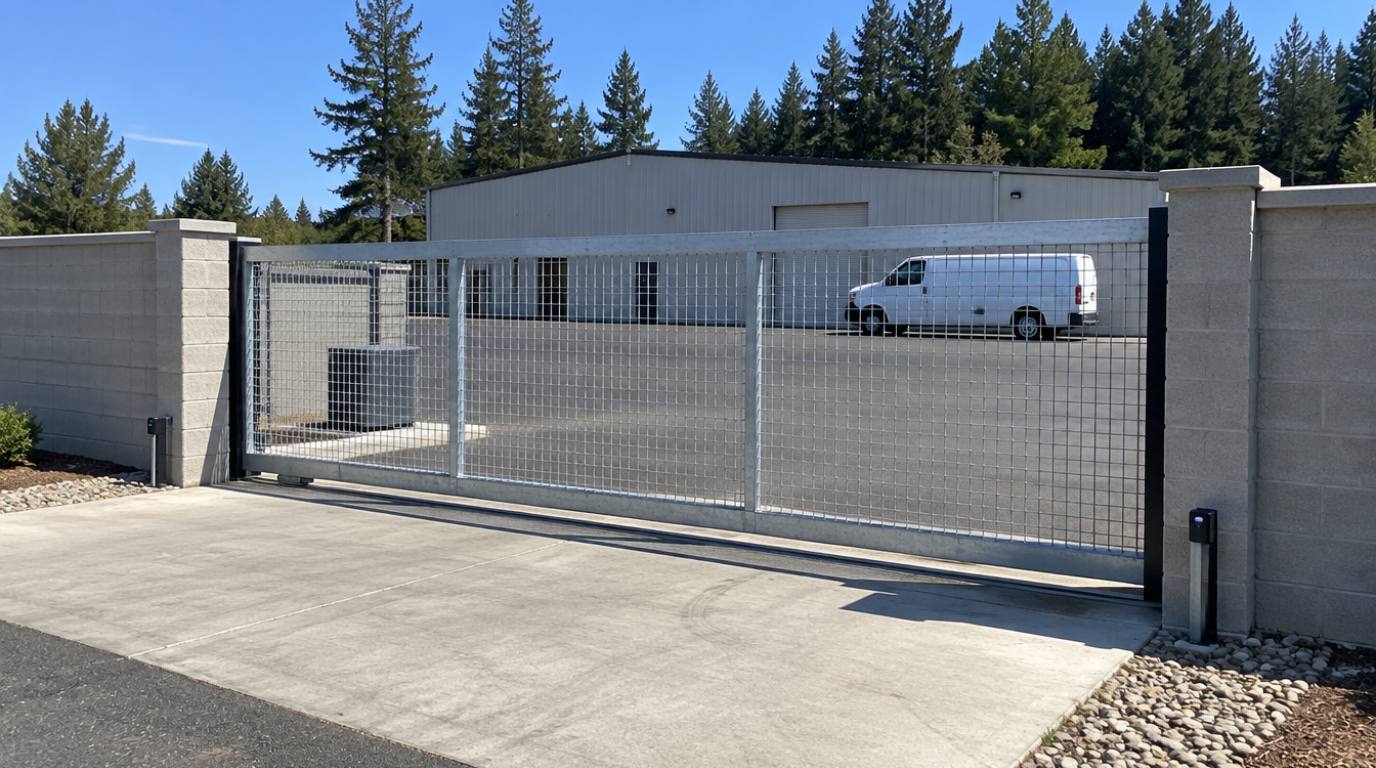
- Photo eye, close direction: across the opening near the receiving post, so anyone standing in the path of the closing leading edge is detected.
- Photo eye, open direction: across the area behind the gate where it slides back along the fence, so someone standing between the moving gate and the fence or wall is detected.
- Edge sensors: on the leading edge and the trailing edge of the gate, as contact protection where the gate meets or passes a post.
- Physical stops: at both ends of the gate rail, to prevent over-travel.
- Roller covers: ASTM F2200, as summarized by DASMA, calls for covers on exposed weight-bearing rollers and pinch points less than 8 feet above grade.
The open-direction zone deserves extra attention on residential sites. Behind a slide gate there is often a narrow strip between the gate and a wall, a hedge or a parked vehicle. Kids and dogs find that strip. It is also where a homeowner walks to check the mail when the gate starts moving. That is why the open-direction photo eye or trailing edge is not optional on most layouts.
How High Should a Gate Photo Eye Be Mounted?
This is the most searched question about gate photo eyes, and the honest answer is that the number comes from the operator and sensor manufacturer, not from one universal rule. UL 325, as summarized by DASMA, tells installers to consult the instructions for placement of non-contact sensors in each application and to take care to reduce nuisance tripping. The manufacturer of a UL 325 listed operator must specify which external sensors are compatible, and those instructions include mounting guidance.
What the installer actually balances on site:
- Detecting a small person. A beam that sits too high can pass over a child or someone who has fallen. Lower beams catch more of the human body near the ground.
- Detecting a vehicle. A beam that sits too low can pass under a high-clearance truck bed or trailer tongue. That is a vehicle-protection question, which is often better handled with a loop, but it influences height choice.
- Staying clear of the gate. The beam has to clear the bottom rail, any drop rods and the gate’s own hardware through the whole travel.
- Grade changes. On a sloped driveway, the ground under the beam is not level. The beam must stay at a useful height above the surface across its entire length, so both sensors may sit at different heights relative to their own posts.
Some sites use two beams at different heights across the same opening, one low for people and one higher for vehicles. Because UL 325 does not let two devices of the same type count as two separate means in one zone, the second beam adds coverage but does not replace an edge or the operator’s inherent sensing. The right answer for your gate is the manual’s range, applied to your grade and traffic.
Thru-Beam, Retro-Reflective and Wireless Photo Eyes
Photo eyes for gates come in three main styles. Each has a place, and each has a weakness worth knowing before installation.
| Type | How it works | Strengths | Watch out for |
|---|---|---|---|
| Thru-beam | Transmitter on one side, receiver on the other; the beam crosses the opening once | Long range and strong signal margin; less affected by shiny surfaces | Needs wiring to both sides of the driveway, usually a conduit crossing |
| Retro-reflective | Transmitter and receiver in one housing; the beam bounces off a reflector on the far side | Wiring on one side only; simpler retrofit | Dirty reflectors lose signal; a shiny vehicle at the right distance can act as a reflector |
| Wireless (battery side) | One side runs on a battery and talks to the operator by radio | Avoids cutting finished paving | Batteries to replace; the radio link must be monitored and not blocked by structures or landscaping |
The retro-reflective warning is not theoretical. The installation manual for EMX’s NIR retro-reflective photo eye states that in some cases a vehicle with a reflective surface at a given distance can act as a reflector and allow the gate to close on the vehicle. Installers account for that with sensitivity settings and placement, and many choose thru-beam sensors for wide or busy openings for exactly that reason.
Wireless devices have their own UL 325 requirements. DASMA’s TDS 353 notes that a wireless contact sensor must be placed where its signal is not obstructed by building structures, natural landscaping or similar obstructions, and the monitoring rules treat an interrupted wireless signal as a fault. On a property with stone pillars, a thick laurel hedge and a metal gate in the way, that is a real design constraint.
What “Monitored” Means and Why Jumpers Are Not Allowed
Older gates often had photo eyes that were simply a switch in a circuit. If the wire was cut or the sensor died, the gate kept running as if nothing was there. Current UL 325 closes that gap. DASMA’s TDS 353 states that all external entrapment protection sensors must be monitored, and that the operator must verify the presence of every device at least once during each open and close cycle.
The same data sheet quotes what happens on a fault. If a device is not present, or a fault condition prevents it from sensing an obstruction, including an interrupted wireless signal or an open or short circuit in its wiring, the operator must either work only with constant pressure on a control for the direction being protected, or only be movable by hand. In plain terms: a broken or missing photo eye should stop the gate from closing automatically.
That is a safety feature that sometimes feels like a nuisance. When a photo eye fails, the gate stops working normally, and the temptation is to put a jumper wire across the terminals so it runs again. UL 325 forbids exactly that. DASMA quotes the standard: no modification shall be made in the field to bypass, interfere with or otherwise defeat the monitoring function by adding, suppressing or changing wires, terminals, switches, jumpers or components on the operator or on the external device.
Monitoring is also why mixing old sensors with a new operator often fails. A non-monitored photo eye from an older system does not send the signal the new board expects. When we automate an older gate or replace an operator, the sensors are usually replaced with listed, compatible, monitored devices as part of the same job. Our page on automating an existing gate explains how that retrofit is planned.
Gate running on a jumper or an old non-monitored eye?
We replace bypassed or incompatible sensors with monitored devices listed for your operator, so the gate runs normally and safely again.
Rain, Fog, Low Sun and Moss in Northwest Washington
Photo eyes are optical devices, and Northwest Washington is hard on optics. None of these conditions is a reason to skip a sensor. Each is a reason to place and protect it carefully.
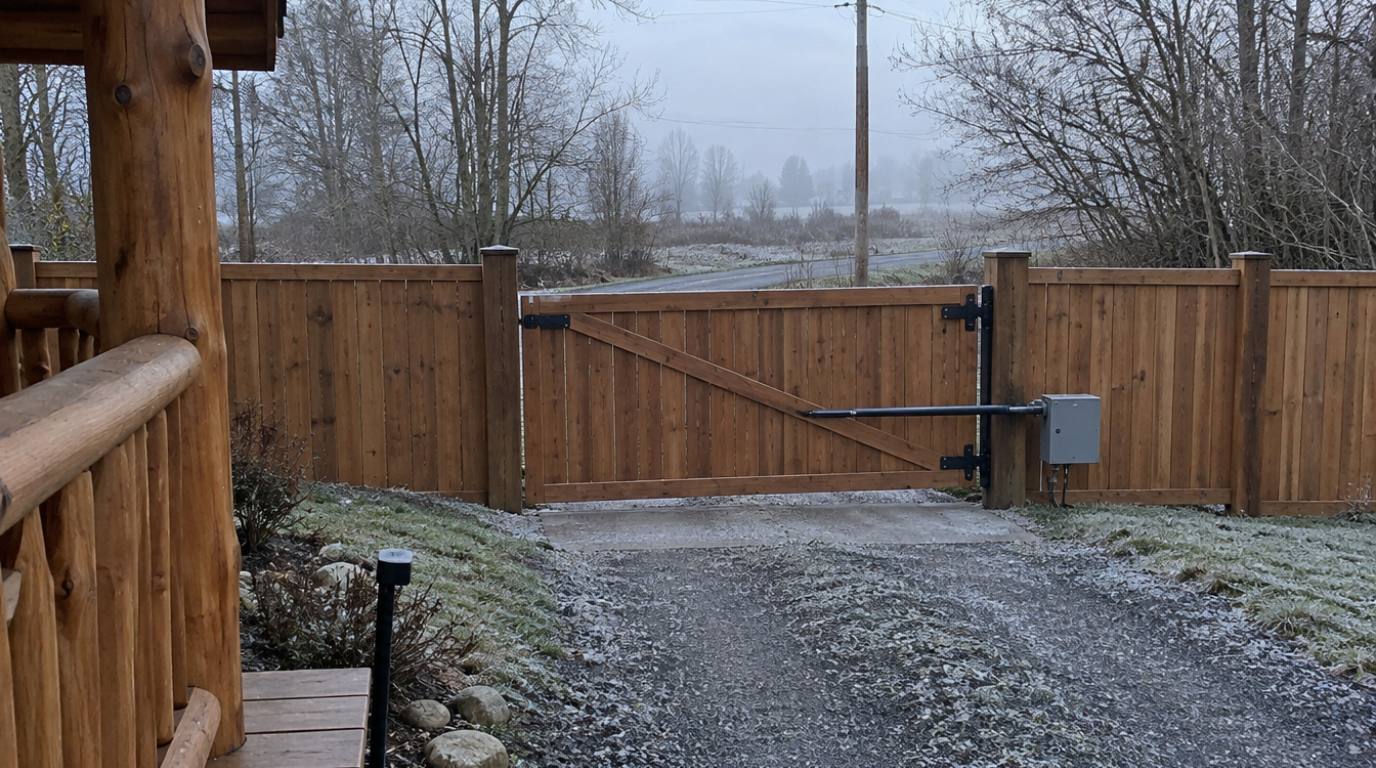
Low winter sun. From late fall through winter, the sun sits low over the horizon for much of the day. A receiver that faces south or west can see direct sunlight on the same line as the beam, which can cause erratic behavior with some sensors. The fix is orientation: aim the receiver away from the low sun where the layout allows, use the hood or shield the manufacturer provides, and avoid mounting the receiver where a reflective window, a metal roof or a puddle bounces sun into it.
Rain and spray. Water drops on a lens scatter the beam. Heavy rain alone rarely blocks a good sensor, but water running off a pillar cap or a tree branch directly onto the lens can. Sensor housings should face slightly down or sit under their own cover, and they should not be mounted where gutter or cap runoff lands on them.
Moss, algae and spider webs. In a damp climate, lenses and reflectors collect film quickly, and spiders love the small sheltered housings. A web across a lens is one of the most common reasons a gate in our area stops and reopens for no visible reason. Regular wiping is part of normal care, which our seasonal automatic gate maintenance guide for Washington covers month by month.
Power outages. When the power goes out, a gate on battery backup still needs its sensors. Photo eyes draw power from the operator, so battery capacity planning includes them. Our article on automatic gate battery backup in Skagit County explains how backup systems behave during the outages common in rural Northwest Washington.
Wiring, Conduit and Who Can Do the Work Under L&I
Photo eyes are low-voltage devices, but in Washington low voltage does not mean unregulated. Gate operator wiring is electrical work under the Department of Labor and Industries. WAC 296-46B-920 creates a door, gate and similar systems specialty, specialty code (10), whose holders may install, service, maintain, repair or replace door, gate and similar systems electrical operator wiring and equipment.
The rule spells out the limits. The specialty covers low-voltage NEC Class 2 operator systems that are not connected to other systems, plus branch circuits from a listed operator control panel that supply only system components, up to 600 volts and 20 amperes, with the component within sight of the panel. It may not install, repair or replace the line-voltage branch circuit conductors that supply the control panel itself; that work needs an electrical contractor licensed for it. Photo eyes, edges, loops and keypads wired to the operator fall inside the gate specialty’s operator system work.
Practical wiring points that keep sensors reliable for years:
- Conduit, not direct-buried cable. Low-voltage cable laid in a shallow trench without protection gets cut by edgers, chewed by rodents and soaked by groundwater. Conduit protects it and allows replacement without digging.
- A driveway crossing for thru-beam sensors. A thru-beam layout needs wire on both sides of the opening. The easiest time to place a sleeve under the driveway is before paving; our guide to automatic gate planning before paving in Burlington, WA lists every conduit worth placing early.
- Sealed connections at the sensor. Moisture at the terminals causes intermittent faults that look like sensor failure.
Hiring a licensed contractor is also a consumer protection issue in Washington. Our page on choosing a licensed gate contractor in Northwest Washington explains how to check a contractor’s registration and electrical license on the L&I site before work starts.
Photo Eyes at HOA, Multi-Family and Commercial Gates
UL 325 sorts gate operators into four usage classes, and the class affects how the whole system, sensors included, is planned. DASMA’s TDS 353 quotes the definitions:
- Class I: for garages or parking areas associated with a residence of one to four single families.
- Class II: for a commercial location or building such as multi-family housing of five or more units, a hotel, garages, a retail store or other buildings accessible by or servicing the general public.
An HOA entrance serving dozens of homes is Class II, even if the gate looks residential. That matters for sensors because the public uses the gate: delivery drivers, guests, kids on bikes and residents walking dogs. The entrapment zones are the same as on a private driveway, but the number of people who might stand in them is much higher, and so is the number of cycles the sensors see each day.
Things we pay extra attention to on HOA, multi-family and commercial gates:
- Separate pedestrian gates next to the vehicle gate, as DASMA’s brochure shows, with clear signs on both sides.
- Thru-beam sensors on wide openings, for signal margin and to avoid reflective-vehicle issues.
- Both open-direction and close-direction protection on every slide gate, because people stand behind commercial gates while waiting.
- Fire access. Washington’s adoption of the IFC requires UL 325 operators and ASTM F2200 gates for electric gates across fire apparatus access roads, and local fire marshals add their own opening methods. Sensors must never block or delay fire department access.
For the larger planning picture, see our pages on HOA and community gate systems and commercial gate installation.
Testing Photo Eyes and Retrofitting an Older Gate
A photo eye that is not tested is a guess. DASMA’s brochure asks owners to have the installer test all entrapment protection devices and obstruction sensing features before leaving the site, to make sure the gate stops or reverses on sensing an object, and then to check those devices on the manufacturer’s recommended schedule.
UL 325, as summarized in TDS 353, also sets how the gate must respond. After sensing an obstruction, reversing must begin within 2 seconds, and after the first contact the gate must reverse and travel at least 2 inches. After a stop or reversal by an inherent sensor or an edge, the timer-to-close is disabled until reset. A test that shows those behaviors is a test worth trusting.
A simple owner check, done with the gate under your control and nobody in its path:
- Start the gate closing.
- Pass a solid object, such as a box held at the side of the beam, through the beam path. Do not use your body and do not step into the gate’s travel.
- Confirm the gate stops or reverses as the manual describes.
- Repeat for each photo eye, in the direction it protects.
- If the gate keeps moving, stop using it automatically and call for service.
Older gates in our area, like the rural ones covered in our guide to gate safety upgrades in Concrete, WA, often fall short in predictable ways: a single non-monitored photo eye on the closing side only, nothing protecting the opening side, a slide gate with no trailing edge, or a sensor bypassed years ago. Retrofitting usually means replacing the operator board or the whole operator with a current listed unit, adding compatible monitored sensors for each zone, and correcting gaps or screening on the gate where ASTM F2200 asks for it.
Want an older gate checked against current safety rules?
We test each photo eye and edge, compare the layout with what UL 325 and ASTM F2200 ask for, and explain the upgrade options in plain terms.
When a Photo Eye Keeps Stopping the Gate
Most photo eye problems show up as a gate that stops, reverses or will not close. The causes are usually simple, and they can be checked in order before anyone replaces parts.
| Symptom | Common causes to check | Who usually fixes it |
|---|---|---|
| Gate reverses at the same spot every time | Gate or hardware crossing the beam; sensor post too close to the leaf; something parked or growing in the beam | Owner (clear the beam) or installer (move the sensor) |
| Gate stops randomly on sunny winter afternoons | Low sun shining into the receiver | Installer (reorient, add a hood) |
| Gate will not close automatically at all | Photo eye misaligned, dirty, unplugged or failed; monitoring fault on the board | Owner (clean, check indicator lights), then installer |
| Intermittent faults after heavy rain | Water in the connections or conduit; damaged cable | Installer |
| Wireless sensor faults now and then | Low battery; signal blocked by growth, vehicles or new structures | Owner (battery), installer (relocation) |
| New operator rejects the existing eye | Sensor not compatible with or not monitored by the new board | Installer (replace with a listed device) |
What you should not do is defeat the sensor to get the gate moving. Beyond the safety risk, a bypass hides the real cause, and the next person to use the gate trusts a protection that is not there. If cleaning and a visual check do not fix it, our guide to an automatic gate not opening or closing walks through the next checks, and our automatic gate repair team in Northwest Washington can diagnose the board, the wiring and the sensors on site.
How We Approach Photo Eye Installation
Emerald Gate Systems designs, fabricates, installs, automates and services gates from our own shop at 7557 Alpine Lane in Sedro-Woolley, Washington, and serves Skagit, Whatcom, Snohomish, Island, San Juan, King and Pierce counties. Because one team handles planning, fabrication, installation, automation, access control, testing and later service, the sensor layout is drawn together with the gate and operator instead of being added at the end by someone else.
On a site visit we start with the questions in this guide: which way the gate moves, where it comes close to posts, walls, the ground and landscaping, who uses the entrance, and how the sun and water reach the spot where each sensor would sit. We then decide which zones need a photo eye, which need an edge, and how the operator’s inherent sensing fits in, so each zone has the protection its operator requires.
We install and service LiftMaster, Viking and FAAC gate operators, and we use the external sensors each manufacturer lists as compatible, wired so the operator monitors them. Before we leave, we test every device in the direction it protects and show the owner how the gate responds, how to turn power off and how to move the gate by hand. If you are planning a new system, our automatic gate installation page covers the full process.
Washington requires contractors to show their registration in advertising: Emerald Gate Systems is registered with the Washington State Department of Labor and Industries as a construction contractor (EMERAGS748D6) and holds an electrical contractor license in the Doors and Gates specialty (EMERAGS747KE).
Frequently Asked Questions
Do automatic gates need photo eyes?
Most do. UL 325 requires two independent entrapment protection means for each entrapment zone, and all external devices must be monitored. The operator’s inherent sensing usually counts as one means, so most gates need at least one photo eye or sensing edge per zone and direction. The operator manual lists the devices required for that specific gate type.
How high should a gate photo eye be?
Follow the height range in the operator and sensor manufacturer’s instructions. UL 325 directs installers to those instructions for non-contact sensor placement. On site, the installer balances detecting a small person near the ground, staying clear of the gate’s bottom rail and hardware, and keeping the beam at a useful height across a sloped driveway.
Where do photo eyes go on a slide gate?
DASMA’s slide gate illustration shows a photo eye across the opening for the closing direction, another behind the gate for the opening direction where it slides past the fence, and sensing edges on the leading and trailing edges. Physical stops at both ends of the rail and covers on exposed rollers complete the safety layout.
Can I put a jumper on the photo eye terminals?
No. UL 325 forbids any field modification that bypasses or defeats the monitoring of external entrapment protection devices, including jumpers, switches or changed wiring. A gate that will not run because of a photo eye fault is doing what the standard intends. Clean and check the sensor, then call a qualified installer if the fault stays.
Why does my gate stop when the sun is low?
Low winter sun can shine straight into a photo eye receiver that faces south or west, and some sensors react to that light. The usual fix is to reorient the receiver away from the sun, add the hood or shield the manufacturer offers, and keep reflective surfaces such as windows or puddles from bouncing light into the lens.
Who can install gate photo eyes in Washington?
Gate operator wiring is electrical work regulated by L&I. WAC 296-46B-920 creates the door, gate and similar systems specialty (10), which covers low-voltage Class 2 operator systems such as photo eyes and edges. The line-voltage branch circuit that feeds the operator panel needs an electrical contractor licensed for that work.