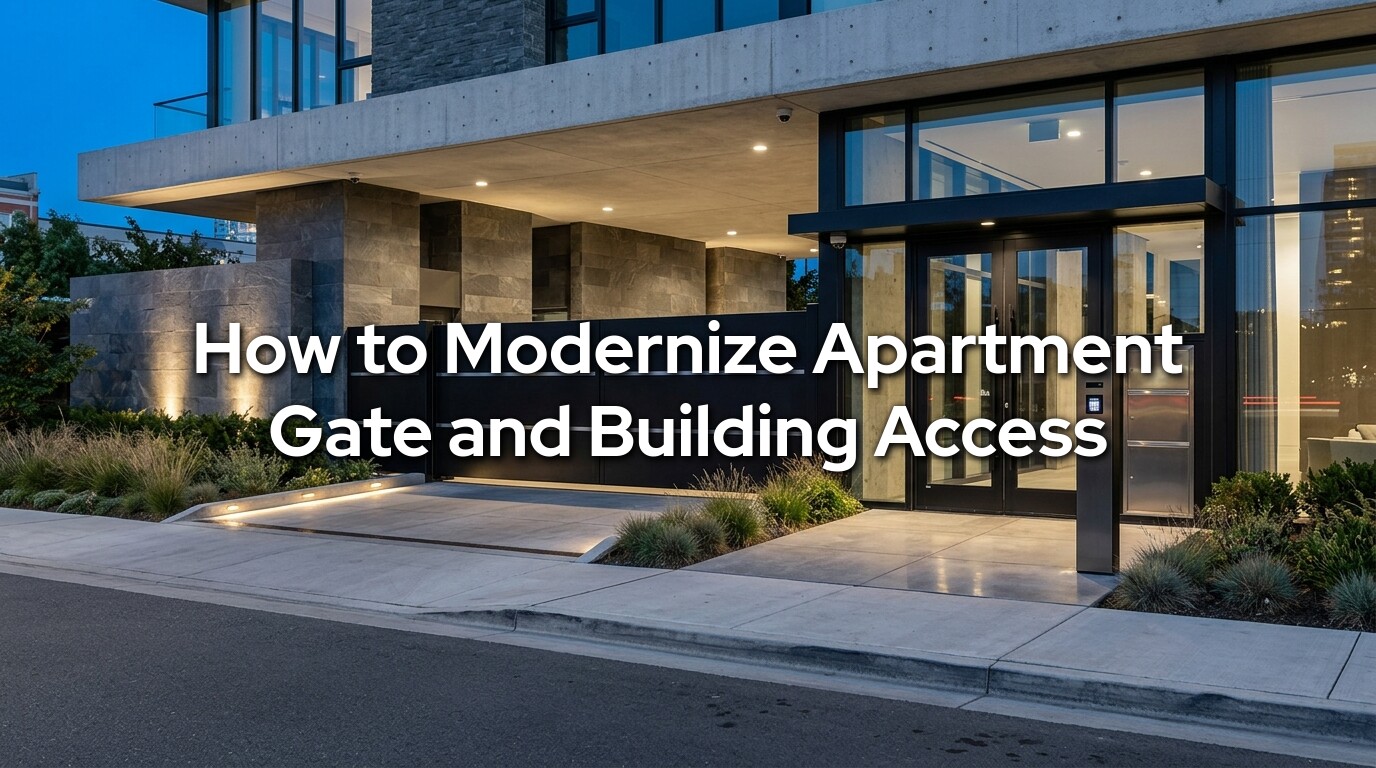
Apartment access control modernization is a project most properties postpone, because apartment access systems tend to age quietly.
The vehicle gate still opens most of the time. Residents still carry remotes or cards. The front entrance still unlocks when someone enters the correct code. The intercom still reaches at least some apartments. Because the property has not experienced a complete failure, ownership may assume the system is doing its job.
Behind the scenes, the management burden keeps growing.
Former residents may still have working credentials. Contractors may share one permanent keypad code. Staff members may not know who has administrative access to the software. The intercom directory may contain outdated names. A garage reader may fail whenever it rains. Residents may be locked out when their phone dies, while other residents may struggle to use a small keypad or an app that was never designed with accessibility in mind. When the vehicle gate stops working, management may discover that the gate company, access-control vendor, electrician, internet provider, and software company each believe the problem belongs to someone else.
Modernizing apartment gate and building access means correcting those operational weaknesses, not simply replacing one reader with a newer model.
A complete modernization project may involve the vehicle gate, parking garage, lobby doors, pedestrian gates, leasing office, elevators, package room, fitness center, pool, storage areas, maintenance rooms, and other controlled spaces. It may also involve RFID credentials, badges, mobile access, video intercoms, temporary visitor codes, vehicle detection, cameras, cloud management, backup power, accessible controls, and emergency responder access.
The goal is not to install the greatest number of features. The goal is to create a system that authorized people can use easily, management can administer consistently, technicians can maintain, and emergency responders can work with when normal operations fail.
That matters throughout Washington State, where apartment and managed-property systems must also handle Pacific Northwest rain, power interruptions, wet underground infrastructure, coastal exposure, cold batteries, changing cellular coverage, and heavy seasonal debris. A garage entrance in Lynnwood may face different traffic problems from a waterfront property in Mukilteo. A small apartment community near Sedro-Woolley may have different staffing and internet limitations from a larger complex in Bothell or Mill Creek.
Emerald Gate Systems works with apartment managers, HOAs, commercial owners, and facilities teams across Northwest Washington and the greater Puget Sound region, combining custom gates, automation, access control, cameras, intercoms, ADA entry systems, repair, and maintenance. Our systems include audio and video intercoms, smartphone integration, keypads, RFID readers, and phone-entry systems for residential, commercial, and multi-tenant Washington properties.
This guide explains how to evaluate an older system, compare credential technologies, design visitor and vehicle access, protect accessible and emergency routes, phase installation around residents, estimate the complete cost, and plan for maintenance after the project is finished.
What Does Modernizing Apartment Gate and Building Access Mean?
Apartment access modernization is the process of redesigning how residents, staff, visitors, vendors, delivery drivers, and emergency responders enter and move through the property. It includes hardware, but hardware is only one part of the project.
A Complete Modernization Has Five Layers
The first layer is the physical opening. This includes vehicle gates, pedestrian gates, doors, frames, locks, closers, hinges, rollers, tracks, operators, barrier arms, and other equipment that physically controls entry.
The second layer is identification. This is how the system recognizes a resident or authorized user. Examples include RFID cards, key fobs, badges, mobile credentials, vehicle tags, remotes, personal identification numbers, and license plate recognition.
The third layer is decision-making. The access-control panel or cloud platform determines whether that credential is valid at that opening, on that day, at that time.
The fourth layer is communication. Intercoms, cameras, notifications, call routing, visitor directories, and management software help the property handle people who do not already have permanent access.
The fifth layer is operations. This includes move-in enrollment, move-out deactivation, lost credentials, temporary access, staff permissions, record retention, maintenance, outage procedures, resident communication, and emergency response.
A new card reader does not modernize the other four layers.
Modernization Is Different From Simple Replacement
Replacement restores a failed component. Modernization improves how the entire system works.
A property might replace a damaged keypad with another keypad and retain the same shared code, outdated wiring, weak resident records, and poor visitor process. The new keypad may solve the immediate failure without solving the management problem.
A modernization project would ask why the property still relies on a shared code, who should receive individual credentials, how former users will be removed, how visitors will call residents, what happens during a network failure, and whether the door or gate is safe and suitable for continued use.
The Best System Is Not Necessarily the Most Complicated
A 20-unit building may need individual fobs, a simple video intercom, reliable door hardware, and a straightforward management portal. A 400-unit community may need separate access groups, multiple garage lanes, elevator permissions, package-room access, visitor workflows, mobile credentials, staff roles, and integration with property-management software.
Both projects can be modern. The correct level of complexity depends on the users, openings, traffic, staffing, security concerns, and management capacity.
How Do You Know the Current System Needs Modernization?
An apartment access system needs modernization when it creates recurring security, management, reliability, accessibility, or resident-service problems that isolated repairs no longer solve. The clearest warning signs often appear in daily operations before they appear in the equipment.
Management No Longer Knows Who Has Access
A system is difficult to defend when management cannot answer basic questions: Who has a working credential? Which former residents still appear in the system? How many remotes, badges, or fobs were issued? Which contractor codes remain active? Who can change permissions? Who reviews access records?
If staff must rely on spreadsheets, paper lists, memory, and multiple disconnected portals, the access system may be creating administrative risk even when the doors still unlock.
Shared Codes Have Spread Beyond the Intended Users
One shared gate or building code often becomes known by residents, former residents, visitors, delivery drivers, vendors, cleaners, landscapers, and contractors. Changing the code can then create hundreds of support calls. Leaving it unchanged weakens control. Individual credentials are usually easier to disable without disrupting every legitimate user.
Resident Complaints Are Becoming Routine
Common complaints include:
- The garage reader works only after several attempts
- The gate closes before a vehicle clears it
- Mobile access works on one phone but not another
- The intercom calls an old phone number
- Visitors cannot find the resident directory
- The front door does not latch consistently
- A resident cannot reach or operate the reader comfortably
- A lost fob remains active for several days
- The system fails during rain or power interruptions
- Staff cannot tell whether the problem is mechanical, electrical, or software related
Repeated complaints are evidence that the system is no longer supporting the property reliably.
Equipment or Software Is No Longer Supported
Obsolete controllers, discontinued readers, unsupported operating systems, proprietary wiring, aging telephone entry units, and unavailable replacement parts can make every repair slower and less predictable.
A functioning system can still be approaching the end of its supportable life. Ownership should not wait until a critical controller fails before learning that the replacement requires new software, readers, credentials, and wiring.
The Property Has No Credible Outage Plan
Management should know what happens when utility power, internet service, cellular service, the cloud platform, or the vehicle gate operator fails.
A system that works only when every supporting service is available is not resilient enough for a multi-tenant property. Backup power, local credential decisions, manual procedures, emergency contacts, and safe egress should be understood before an outage occurs.
Apartment and commercial gates have higher traffic, more users, more credential changes, and greater consequences when access fails than typical residential gates. Our guidance for property managers treats resident access, visitor entry, vehicle detection, safety devices, backup power, credential tracking, and preventive maintenance as connected responsibilities.
If your property has several of these symptoms, call (360) 657-9975 or schedule an apartment access assessment. A useful assessment should review the gate, doors, readers, credentials, intercoms, network, power, resident workflow, and service history together.
What Problems Should the New Access System Solve?
The system should be designed around clearly defined property problems before products are selected. Beginning with product demonstrations often leads to a collection of impressive features without a coherent operating plan.
Identify Every User Group
An apartment property may serve residents, household members, children and caregivers, property-management staff, maintenance employees, leasing staff, contractors, cleaners and landscapers, delivery drivers, rideshare drivers, postal and parcel services, prospective tenants, emergency responders, guests, and residents requiring accommodations.
Each group may need different openings, schedules, and approval methods. A resident may need continuous access to the building, garage, elevator, package room, and amenities. A contractor may need access only to a service entrance between 8:00 a.m. and 4:00 p.m. A prospective tenant may need one scheduled entry. A delivery provider may need the package room without receiving access to residential floors.
Divide the Property Into Access Zones
A good design separates spaces according to risk and use. Common zones include the exterior vehicle entrance, resident parking garage, visitor parking, lobby and residential entrances, leasing office, residential floors, elevators, stair doors where access control is permitted, package room, fitness center, pool or clubhouse, bicycle storage, tenant storage, maintenance areas, roof and mechanical rooms, and trash and loading areas.
Not every resident needs permission to every opening. Zoning helps management grant access according to legitimate use rather than issuing one credential that opens the entire property.
Define the Desired Resident Experience
The project should answer practical questions. How many seconds should normal entry take? Can residents use the system while carrying groceries? Is there a non-phone option? Can a resident report a lost credential after hours? Can management issue access without visiting every door? Can residents receive visitors without sharing a permanent code? Can a resident with limited hand strength, vision, hearing, mobility, or technology access use the entry method?
Security should not be created by making routine entry frustrating. Difficult systems encourage propped doors, shared credentials, tailgating, and workarounds.
Define Failure Behavior
Every critical opening needs a documented response to failure. That does not mean every door should unlock whenever power is lost. Different doors and gates have different life-safety, security, fire-rating, and operational requirements.
The design team should determine whether access decisions continue locally during a network outage, how long backup power is expected to support the system, how residents enter when mobile service is unavailable, how staff open the building during a controller failure, how a vehicle gate is released or secured, how required egress remains available, how emergency responders enter, who receives system alerts, and who is authorized to place the system into a temporary operating mode. The property should approve those answers before installation begins.
RFID, Badge, Mobile, Keypad, or Remote: Which Credential Is Best?
Most apartment communities benefit from a hybrid credential strategy rather than one method for every resident, visitor, vehicle, and staff member. The best credential is one that provides adequate security, is manageable at the property’s scale, works at the intended opening, and has a practical backup.
RFID Cards, Fobs, and Badges
RFID credentials are widely used because they are fast, familiar, and easy to issue. A resident presents the card or fob to a reader, and the system checks whether that credential is permitted at that opening.
Not all RFID credentials provide the same protection. Older proximity technologies may offer limited security compared with newer smart credentials. The reader, card technology, controller, wiring protocol, issuance process, and encryption configuration all matter. A secure-looking badge is not automatically a secure credential.
Cards and fobs remain useful because they do not depend on a charged smartphone, mobile operating system, app login, or resident data plan. They can also be issued to children, caregivers, service personnel, and residents who prefer a physical credential. The main management requirement is inventory control. Every issued credential should be assigned to a person, vehicle, unit, or defined business purpose. Unlabeled master fobs and untracked batches undermine the system.
Mobile Credentials
Mobile access allows a smartphone or wearable device to act as a credential. Depending on the platform, the phone may communicate with the reader through Bluetooth, near-field communication, or another supported method.
Advantages can include remote issuance, reduced physical-card handling, easier replacement, and a familiar resident experience. Some platforms also support wallet-based credentials, background operation, or use without opening the app.
Limitations should be discussed honestly. Phones are lost, replaced, uncharged, damaged, shared, and sometimes incompatible with a particular app or operating system. Residents may disable Bluetooth, decline permissions, change phone numbers, or lack reliable cellular service. Cloud or account problems can also affect enrollment.
Mobile access should therefore include a documented alternative. A smartphone-only policy can create unnecessary barriers for residents who do not own a compatible device, cannot operate the app, or require a reasonable accommodation.
Keypad Entry
Keypads remain useful for temporary visitors, vendors, service providers, and selected secondary openings. They are less effective when the property uses one permanent code for everyone. Better systems support individual, temporary, scheduled, or one-time codes. A move-out should not require changing a code used by hundreds of residents. Our comparison of RFID access vs keypad entry covers the trade-offs in detail.
Keypad placement matters. The device needs appropriate reach, lighting, weather protection, clear floor space, readable feedback, and a safe location outside the movement path of a vehicle gate.
Vehicle Remotes and Long-Range Credentials
Traditional remotes provide quick garage or gate access, but management must track them carefully. A remote that is not assigned to a resident or vehicle can remain active after a move-out.
Long-range RFID vehicle tags can provide hands-free entry. They can also create unintended reads if lane geometry, reader range, and vehicle approach are poorly planned. The system should identify the intended vehicle at the intended lane without opening for a credential in a nearby lane, parking space, or passing vehicle.
License Plate Recognition
License plate recognition can support vehicle management, visitor records, or access decisions. It should be evaluated as part of a larger system rather than treated as flawless identification.
Plates can be dirty, damaged, changed, obstructed, or difficult to read because of glare, weather, vehicle position, or camera placement. Temporary plates and rental vehicles require additional workflows. For many apartment properties, plate recognition works best as a supplemental tool, not the only resident credential.
Our guide to license plate recognition gates in Northwest Washington goes through camera placement, winter light and the fallback credentials a property still needs, which is useful reading before a board decides whether plate reads belong in a modernization plan.
Reader-to-Controller Communication Matters
The security of the card or mobile credential is only one part of the path. The reader must communicate with the controller. The Open Supervised Device Protocol, maintained by the Security Industry Association, supports bidirectional communication and Secure Channel encryption for compatible access-control devices. Asking whether new readers and controllers support an appropriate modern protocol can help a property avoid replacing old credentials while retaining weak or unsupervised reader communication.
The right answer for many communities is physical RFID or smart credentials for dependable daily access, mobile access for residents who want it, individual temporary codes for visitors and vendors, and a separate managed method for vehicle entry.
Explore access-control systems to compare RFID, badges, keypads, mobile credentials, intercoms, vehicle readers, and management platforms around the property’s actual users.
How Should Visitor Entry and Apartment Intercoms Work?
A modern visitor system should help a legitimate guest reach the correct resident without giving that visitor permanent or excessive access. The best design depends on staffing, building layout, delivery volume, resident preferences, cellular coverage, and the number of controlled openings between the visitor and the destination.
Choose the Correct Visitor Workflow
Common visitor methods include audio intercom calls, video intercom calls, resident mobile-app approval, temporary personal identification numbers, one-time codes, scheduled guest credentials, QR or digital invitations, front-desk approval, leasing-office approval, delivery-specific access, and call routing to multiple authorized people.
The system should make the visitor’s next step obvious. A large directory without clear instructions can be difficult to use, especially at night, in rain, or when names are displayed differently from how visitors know the resident.
Avoid Creating a Permanent Delivery Code
A single delivery code often spreads quickly. It may remain active long after the original business purpose has changed.
Better options include provider-specific schedules, package-room access, time-limited codes, staffed release, delivery integrations, or separate service-entry procedures. Delivery access should be limited to the areas required for the delivery. A package provider generally does not need unrestricted access to residential floors and amenities.
Plan Call Routing Carefully
Older telephone entry systems often call a resident’s telephone number through a traditional line or cellular connection. Newer systems may call smartphones, apps, front desks, leasing offices, or multiple contacts.
Management should verify what happens when the first person does not answer, whether calls show a recognizable caller identity, whether residents can release more than one opening, whether calls work during internet or cellular disruption, how hearing or communication accommodations are handled, who updates resident names and phone numbers, whether the directory exposes more resident information than necessary, and whether residents can opt for a unit number or privacy-friendly display name.
A video image can improve visitor verification, but camera placement must show useful information. A wide view of the driveway may not show a visitor’s face clearly. A close face camera may not show the vehicle or surrounding activity.
Separate Visitor Access From Resident Access
Residents should not need to search an intercom directory or enter a visitor code every time they return home. Visitors should not receive the same credential rights as residents. Separating these workflows improves both convenience and control.
Keep a Human Fallback
No visitor system handles every situation. Prospective tenants, caregivers, emergency contractors, residents with communication disabilities, and people without smartphones may need a staff-assisted process. The property should publish a clear alternative instead of expecting residents and visitors to invent workarounds.
How Should Parking Garage and Vehicle Gate Access Be Modernized?
Parking access should be designed as a traffic, safety, credential, and mechanical system. A fast reader cannot correct a gate that is too slow for the lane, a garage entrance with poor vehicle stacking, or an operator that was never designed for apartment traffic.
Select the Correct Vehicle-Control Device
Apartment properties may use sliding gates, cantilever gates, swing gates, barrier arms, overhead parking doors, roll-up doors, grilles, or separate entry and exit devices.
A barrier arm can process vehicles quickly but provides limited perimeter closure. A full sliding or cantilever gate provides stronger closure but moves a larger structure and normally requires more space, protection, and maintenance.
Swing gates need clear movement arcs and adequate setback. Sliding gates need side-storage space and protection around rollers, guides, and travel zones. Cantilever gates can be useful where gravel, mud, leaves, and wet conditions would make a ground track difficult to maintain. Our comparison of sliding gate vs swing gate covers how each behaves in this region. The right choice follows traffic, security, opening width, available space, wind, site grade, and maintenance capability.
Match the Operator to Real Traffic
Apartment gates may cycle hundreds of times during morning and evening peaks. Residential-duty equipment should not be expected to perform like a high-cycle commercial operator.
The installer should evaluate daily and peak-hour cycles, gate weight and length, opening and closing time, vehicle queue length, wind exposure, gate balance and alignment, battery and backup needs, expected service frequency, availability of parts, and consequences of downtime. A new reader does not solve a worn chain, failing roller, undersized operator, unstable post, or damaged gate frame.
Design Vehicle Detection and Safety Together
Vehicle loops, presence detectors, photo eyes, sensing edges, obstruction detection, and gate-position devices serve different purposes. One loop may request exit. Another may hold the gate open while a vehicle occupies the movement area. A photo eye may protect a defined path. A sensing edge may detect contact at a hazardous part of the moving gate. Every device should have a specific job and be tested as part of the complete sequence.
UL explains that UL 325 applies to automatic gate and door operators, including slide, swing, vertical, barrier-arm, and other operator types, while UL 294 addresses access-control system units and complements UL 325 where credentials and controls are integrated with automatic gates and doors.
Address Tailgating Without Creating a Collision Risk
Closing the gate aggressively behind each vehicle can increase the risk of impact. Leaving it open too long can permit unauthorized following. The solution may involve lane design, signs, cameras, resident education, faster equipment, vehicle detection, separate visitor lanes, barrier arms, or security staffing. The correct strategy depends on the property rather than one universal closing timer.
Separate Pedestrian Movement
Residents should not walk through an automated vehicle gate as their normal pedestrian route. The project should provide a separate pedestrian opening where foot traffic is expected. That route should not place residents in the vehicle lane, gate travel area, roller zone, or swing arc.
Review commercial gate solutions for apartments and managed properties before choosing readers or software. The gate, operator, vehicle detection, access control, and resident traffic pattern should be evaluated as one system.
How Should Building Doors, Elevators, and Amenities Work Together?
A modern apartment system should provide one understandable access experience without giving every resident permission to every space. Integration should simplify management, but it should not create one failure point that disables the entire property.
Start With the Door and Frame
Before selecting a reader or electronic lock, inspect the physical opening. The assessment should include door and frame condition, hinge wear, alignment, latching, closer operation, weather stripping, fire labels, existing lock type, required egress, door weight and opening force, available wiring pathways, power-transfer hardware, and accessibility and maneuvering space.
An electronic strike will not correct a door that does not latch. A magnetic lock should not be selected without reviewing egress, fire, power-loss, and code requirements. Electrified hardware must fit the door, frame, occupancy, and required behavior.
Decide Which Systems Should Share a Credential
A resident may use the same card or mobile credential at the garage, lobby, elevator, package room, fitness center, and pool. That does not mean every resident should automatically receive all those permissions.
The software should support access groups based on building, unit, parking assignment, amenity eligibility, staff role, vendor responsibility, time schedule, lease status, and temporary need. This approach reduces credential clutter while preserving controlled permissions.
Coordinate Elevator Access Carefully
Elevator integration can limit access to selected floors or areas. It can also create serious disruption if designed without fire service, emergency operation, accessibility, resident movement, and maintenance requirements in mind.
The elevator contractor, access-control integrator, fire-alarm team, electrical contractor, code official, and property management may all need to coordinate. The access system should never interfere with required elevator emergency functions.
Give Amenities Their Own Rules
The package room, fitness center, pool, clubhouse, bicycle room, and storage areas may need different schedules, occupancy controls, and incident records. A package room may require resident access at all hours but delivery access only during selected windows. A pool may need seasonal schedules. A maintenance room may be limited to staff and selected vendors. The management policy should exist before those permissions are programmed.
Avoid Unnecessary Vendor Lock-In
Integration is useful when the owner retains control over accounts, credentials, programming data, and future service. Before buying, ask whether another qualified integrator can service the system, whether data can be exported, whether the owner controls the administrator account, and what happens if the software subscription ends.
How Should Resident Access Be Managed From Move-In to Move-Out?
Access modernization succeeds only when management creates a consistent credential lifecycle. Technology cannot compensate for an informal move-in and move-out process.
Create a Standard Enrollment Process
At move-in, management should record resident identity, unit, lease dates, vehicle information where relevant, credential type and number, mobile credential status, access groups, parking assignment, accommodation needs, emergency contact procedures, and resident acknowledgment of access rules.
Credentials should be assigned to named users whenever practical. Issuing several untracked fobs to a unit makes later deactivation and incident review difficult.
Make Replacement Simple but Controlled
Residents lose phones, cards, fobs, badges, and remotes. The property should define how loss is reported, who can deactivate the credential, whether after-hours support exists, how identity is verified, how temporary entry is provided, whether replacement fees apply, how quickly the old credential is disabled, and how mobile credentials are moved to a new device.
A lost credential should not remain active merely because the leasing office is closed.
Deactivate Access Promptly at Move-Out
Move-out should trigger a documented access action, not rely on someone remembering later. The system should remove or update resident credentials, household credentials, vehicle tags, remotes, mobile credentials, intercom listings, temporary guest codes, parking permissions, amenity access, storage access, and staff exceptions associated with the unit. Audit reports can help identify credentials that remain active after a lease ends.
Limit Administrative Permissions
Not every staff member needs full system control. Roles may include credential enrollment, resident-directory updates, visitor assistance, report viewing, door monitoring, schedule changes, system configuration, emergency override, and vendor administration. Separating those permissions reduces accidental changes and makes accountability clearer.
Provide Equivalent Access Options
A resident should not lose practical access because they cannot use the preferred technology. Properties should plan physical credentials, staff support, accessible control placement, and reasonable alternatives. The federal Fair Housing Act and Washington law apply to housing services and can require reasonable accommodations for people with disabilities. The Washington State Human Rights Commission identifies disability as a protected class in housing and states that housing providers must not provide unequal services or facilities based on protected status.
Before selecting a platform, ask us to map the complete resident lifecycle, including enrollment, visitor access, lost credentials, move-out deactivation, accommodation workflows, and after-hours failures.
How Should Network Security, Privacy, and Access Data Be Planned?
Modern access control is both a physical-security system and a connected technology system. Readers, controllers, intercoms, cameras, servers, cloud portals, mobile apps, property-management integrations, and remote-support tools can all create cybersecurity and privacy responsibilities.
Identify Every Connected Asset
The property should maintain a current inventory of controllers, reader interfaces, intercoms, cameras, network switches, cellular devices, servers, workstations, cloud portals, mobile applications, credential encoders, gate operators, elevator interfaces, backup devices, software versions, and administrative accounts.
The NIST National Cybersecurity Center of Excellence identifies asset visibility and network segmentation as important elements in protecting property-management systems, with separate consideration of network protection, access-control platforms, and physical access-control systems.
Separate Access Equipment From General Resident Networks
Access-control devices should not be placed casually on the same open network used for resident internet, public Wi-Fi, or unrelated office equipment. A qualified network professional should evaluate segmentation, firewall rules, remote access, controller communication, logging, updates, and backup. The exact architecture depends on whether the system is locally hosted, cloud managed, or hybrid.
Protect Administrative Accounts
Management portals should use unique administrator accounts, strong passwords, multi-factor authentication where available, role-based permissions, prompt removal of former staff, logged administrative activity, secure recovery procedures, and controlled vendor access. Shared administrator passwords make it difficult to determine who changed a schedule, added a credential, or unlocked an opening.
CISA recommends basic cyber hygiene that includes strong passwords, software updates, and multi-factor authentication. Those principles apply to access-control and property-management accounts as well as other business systems.
Define Data Retention Before Collecting Data
Access systems can record names, unit associations, credential use, entry times, visitor calls, images, license plates, and administrative actions. The property should define what data is collected, why it is collected, who may view it, how long it is retained, how it is protected, how records are provided during an incident, when records are deleted, how legal requests are handled, and whether residents receive notice.
Collecting more information is not always better. Data that has no defined operational purpose creates storage, privacy, and security obligations without improving access.
Confirm Ownership of Accounts and Data
The property owner, not an individual employee or temporary vendor, should control the primary administrative account. Contracts should explain what happens to credentials, logs, resident data, and system configuration if the management company, installer, software provider, or property ownership changes.
What Safety, Accessibility, Fire, and Code Issues Must Be Addressed?
Access control must never be designed as though keeping people out is the only objective. The system must also support safe egress, accessible use, emergency response, fire-rated assemblies, and the requirements enforced at the specific property.
Understand Which Accessibility Rules Apply
Apartment properties can involve several overlapping requirements. The Fair Housing Act and Washington Law Against Discrimination affect housing services and disability accommodations. Building-code accessibility requirements apply to construction and alterations. The ADA may apply to public-facing areas such as leasing offices and other covered facilities, while its application to purely residential portions can differ.
The correct legal analysis depends on the property, area, funding, use, and scope of alteration. Owners should obtain project-specific code and legal guidance rather than assuming one rule covers every opening.
Place Controls Within an Accessible Approach
Where the ADA Standards apply, operable parts require clear floor or ground space and placement within permitted reach ranges. The standards identify an unobstructed side reach from 15 inches minimum to 48 inches maximum and require operable parts to work with one hand without tight grasping, pinching, or twisting of the wrist.
Mounting height is only one part of accessibility. The user also needs an accessible route, adequate approach space, readable or understandable feedback, sufficient time to operate the opening, and a device that can be used in rain, darkness, or while carrying items. The ADA Standards require accessible routes to connect applicable arrival points, entrances, spaces, and elements where those provisions apply.
Preserve Required Egress
Residents must be able to leave through required egress doors without depending on a credential, app, card, code, or management approval. Electrified locks, magnetic locks, delayed-egress arrangements, request-to-exit devices, door-position sensors, and fire-alarm interfaces require careful coordination. The device must be appropriate for the door, occupancy, fire rating, and code-approved egress arrangement.
UL 294 addresses access-control system units, while related UL categories cover specific electric locking and egress-control configurations. Product certification does not replace correct design, installation, or local approval.
Coordinate With Fire and Emergency Responders
Vehicle gates, parking garages, locked building entrances, and controlled elevators may need approved emergency-access procedures. Requirements can vary by city, county, fire district, building type, and access route. The local authority having jurisdiction should review applicable emergency opening, key-box, override, lane-clearance, and fire-alarm interface requirements.
Washington’s current statewide code framework uses the 2021 model-code editions with state amendments, effective March 15, 2024, as published by the State Building Code Council. Local jurisdictions retain enforcement authority.
Plan Electrical Permits and Inspections
Access modernization may involve power supplies, low-voltage wiring, branch circuits, gate operators, door hardware, battery systems, vehicle loops, and network equipment.
Washington Labor and Industries states that electrical work generally requires a permit and inspection, subject to specified exceptions, and that the permit must come from the correct state or local jurisdiction. When an electrical contractor performs the work, the contractor must obtain the permit for that work.
The project proposal should identify who is responsible for electrical design, permits, inspections, fire-alarm coordination, access-control installation, gate work, door hardware, and final testing.
Call (360) 657-9975 or schedule an on-site consultation before hardware is ordered. Accessibility, door operation, vehicle-gate safety, emergency access, electrical work, and management needs should be resolved together.
How Does Washington Weather and Location Affect Apartment Access Systems?
Washington apartment access systems should be designed for the conditions at the actual property, not for a generic indoor demonstration environment. Outdoor readers, intercoms, vehicle gates, loops, cameras, pedestals, conduits, and power equipment face different exposure across Northwest Washington and the greater Puget Sound region.
Rain and Moisture Find Weak Installation Details
An exterior device can carry an outdoor rating and still fail if water enters through conduit, cable openings, damaged gaskets, mounting holes, poorly sealed junction boxes, or low equipment locations.
Drainage should direct water away from gate operators, controller cabinets, reader pedestals, pull boxes, loops, and underground connections. A device should not depend on sealant alone to survive standing water. Intermittent failures after rain often indicate water intrusion, movement, corrosion, or damaged underground wiring. Replacing the reader without inspecting the pathway can lead to another failure.
Coastal Exposure Requires Material Planning
Properties near Edmonds, Mukilteo, Woodway, Stanwood, Whatcom County, and island communities may experience stronger coastal moisture and salt exposure. Exterior housings, fasteners, pedestals, gates, welds, coatings, hinges, rollers, and electrical enclosures should be selected and maintained for that environment.
Aluminum can reduce rust concerns at vehicle gates, but it still requires correct fabrication, compatible hardware, and finish protection. Steel and ornamental iron can perform well when properly prepared, coated, drained, and maintained. Wood infill can provide privacy but adds moisture movement, weight, and wind area.
If the gate itself is corroded, sagging, or structurally unsuitable, access modernization may require welding or custom gate fabrication before a new operator and reader system can perform reliably.
Urban Properties Have Space and Traffic Constraints
Apartment buildings in Bothell, Brier, Mill Creek, Lynnwood, and Mountlake Terrace may have short driveways, limited equipment space, underground parking, narrow sidewalks, and heavy peak traffic. Reader placement must allow a driver to authenticate without blocking the street, striking the pedestal, or stopping in the gate path. Pedestrian readers need clear approach space without narrowing an accessible route.
Growing Suburban Communities Need Scalable Systems
Properties around Marysville, Lake Stevens, Snohomish, and Monroe may add units, parking, amenities, or additional buildings over time. The controller, software licensing, network, credential format, and database should support realistic expansion. Buying a platform that is already at its practical capacity can make the next building unnecessarily expensive.
Foothill and Smaller Communities Need Resilient Communication
Properties near Sultan, Gold Bar, Index, Darrington, and Granite Falls may experience different utility, cellular, terrain, weather, and technician-access conditions. A cloud intercom should not be selected without checking actual carrier coverage at the entrance. A remote vehicle gate may need stronger battery planning and clear manual procedures. Solar gate automation can serve selected low-use remote entrances, but a high-cycle apartment gate usually benefits from dependable hardwired power and appropriately designed backup.
The System Should Remain Serviceable
Equipment should be accessible for inspection without removing landscaping, blocking residents unnecessarily, or dismantling unrelated construction. A clean-looking installation that cannot be tested or repaired efficiently may become expensive to own.
What Is the Best Way to Install a New System Without Disrupting Residents?
Apartment modernization should be treated as an occupied-property project. The installation plan must protect daily access while old and new systems are being tested, credentials are being issued, and doors or gates are temporarily unavailable.
Phase 1: Audit the Existing Property
The audit should document every controlled opening, door, gate, and operator condition, existing credential types, wiring pathways, controllers and power supplies, network connections, intercoms and cameras, vehicle loops and safety devices, fire-alarm and elevator interfaces, resident and staff workflows, known failures, active software and service contracts, existing administrative accounts, and current permits and drawings where available. The audit should identify what can be reused, what should be replaced, and what requires further testing.
Phase 2: Approve the Operating Plan
Before final design, ownership should approve resident credential options, visitor workflow, vendor access, delivery access, staff roles, move-in and move-out procedures, lost-credential response, data-retention policy, outage behavior, emergency access, maintenance responsibilities, and the resident support process. These decisions determine the correct hardware and software.
Phase 3: Test a Representative Opening
On a larger property, a pilot installation can confirm reader placement, credential behavior, door hardware, mobile compatibility, network performance, and resident instructions before every opening is converted. A pilot is particularly useful when changing credential technology, integrating elevators, or introducing a new resident app.
Phase 4: Communicate With Residents Early
Residents should receive clear information about why the system is changing, which entrances are affected, when enrollment begins, which credentials are available, whether an app is optional or required, how accessibility needs will be handled, how guests will enter, how lost credentials are reported, when old credentials stop working, what temporary access will be available, and where residents can get help. Messages should be repeated through appropriate channels and made available in accessible or translated formats when needed.
Phase 5: Enroll Before Cutover
Do not deactivate the old system before most residents have received and tested the new credential. Management should track enrollment by unit and follow up with residents who have not completed the process. Staff, vendors, emergency procedures, and after-hours support should also be ready before the cutover date.
Phase 6: Commission the Complete System
Commissioning should test more than whether the reader turns green. The project team should verify every authorized credential group, denied credentials, time schedules, mobile and physical credentials, visitor calls, temporary codes, door latching, gate movement, vehicle detection, safety devices, elevator permissions, camera views, access logs, backup power, network-loss behavior, fire and emergency interfaces, manual procedures, and administrator permissions. A signed commissioning record gives ownership a baseline for future service.
Phase 7: Support the Launch
Residents will replace phones, misplace fobs, misunderstand app permissions, and test the new system in ways the project team did not anticipate. Plan a support period with clear contacts, rapid correction of legitimate problems, and review of repeated questions. Those questions often reveal where instructions or programming need improvement.
Call (360) 657-9975 to plan a phased site assessment, resident enrollment process, temporary-access strategy, installation sequence, and final commissioning plan.
What Does Apartment Access Modernization Cost?
There is no useful single average because apartment access projects vary from one reader replacement to a full property conversion involving gates, building doors, elevators, intercoms, cameras, software, and hundreds of residents. A reliable budget separates the project into layers.
Assessment and Design
This may include site surveys, drawings, door and gate inspections, network review, code coordination, credential planning, resident workflows, and integration meetings. Skipping design does not eliminate its cost. It usually moves that cost into change orders, delays, and incompatible equipment.
Physical Repair and Construction
The existing door, gate, frame, operator, track, hinges, rollers, closer, latch, and foundation may need repair before electronic equipment is installed. Construction costs may also include pedestals, concrete, trenching, conduit, cabling, core drilling, drywall repair, painting, weatherproofing, fence modifications, gate fabrication, door replacement, and traffic control. A software-focused proposal may omit these items even though they determine whether the system works.
Access-Control Hardware
Hardware may include readers, controllers, input and output modules, power supplies, backup batteries, electric strikes, electrified locks, request-to-exit devices, door-position switches, credential encoders, intercoms, cameras, vehicle readers, loops, safety devices, and gate operators. Cost should be compared by complete opening, not by reader price.
Credentials and Resident Enrollment
Physical cards, fobs, vehicle tags, mobile licenses, printing, encoding, labeling, enrollment, and replacement inventory all affect the budget. Management labor also has value. A system that requires extensive manual enrollment or repeated resident support may have a lower purchase price and a higher operating cost.
Software, Cloud, Cellular, and Support Fees
Some platforms charge by door, unit, credential, administrator, mobile user, intercom, camera, or property. Ask for a five-year ownership view that includes software subscription, cellular service, cloud storage, mobile credentials, technical support, replacement credentials, firmware or platform upgrades, training, data migration, additional administrators, and integration fees.
Network and Electrical Work
New switches, secure network segments, internet connections, cellular backup, branch circuits, surge protection, battery systems, and permits may be separate from the access-control contract. Responsibilities should be written clearly. The phrase power by others is not enough unless the required voltage, circuit, location, and completion date are defined.
Contingency
Older properties can contain undocumented wiring, blocked conduits, damaged underground cables, obsolete panels, asbestos concerns, unavailable door parts, and field conditions that were not visible during the first walkthrough. A realistic budget includes contingency and a written change-order process.
Commercial gate cost depends on the gate, operator, access control, cameras, intercoms, safety equipment, electrical work, site conditions, and maintenance needs. The same complete-scope principle applies to apartment building access, as our cost guide explains for gate projects generally.
How Should Maintenance, Repairs, Warranties, and Replacement Be Planned?
Modernization is not complete until ownership knows how the system will be supported. An apartment entrance is daily-use infrastructure. It should have an inspection schedule, service contacts, spare credentials, backup procedures, and documented warranty responsibilities.
Separate Mechanical, Electrical, and Software Maintenance
Vehicle-gate maintenance may include gate alignment, hinges or rollers, chains or racks, guides and tracks, operator mounting, limits, battery backup, photo eyes, sensing edges, vehicle loops, manual release, and corrosion and drainage.
Building-access maintenance may include door alignment, latching, closers, electric locks, power supplies, backup batteries, readers, request-to-exit devices, door-position switches, controller communication, intercoms, cameras, software accounts, and resident directories. The service plan should cover the connected system, not only the part supplied by one vendor. Our seasonal maintenance guide covers the mechanical side in depth.
Define Planned Maintenance Frequency
A low-use secondary door does not need the same attention as a high-cycle garage gate. Service frequency should reflect traffic, equipment, manufacturer requirements, environment, failure history, and the consequences of downtime.
Property staff should also perform simple documented observations between professional visits. They can report unusual noise, slow movement, damaged readers, doors that do not latch, repeated credential failures, standing water, or resident complaints. They should not bypass safety devices, change operator force, enter live electrical equipment, or make unapproved changes to fire or egress hardware.
Build an Emergency-Repair Procedure
The property should know what to do when a gate is stuck open, stuck closed, off track, struck by a vehicle, moving unpredictably, rejecting every credential, blocking required access, or operating with a damaged safety device. The plan should identify who calls for service, who communicates with residents, who authorizes temporary security, who can use the manual release, and how emergency responders enter.
Decide Whether to Repair, Upgrade, or Replace
Repair often makes sense when the problem is isolated and the surrounding system remains serviceable. An upgrade may be appropriate when the gate or door is structurally sound but the controller, reader, operator, battery, safety equipment, or software is outdated.
Replacement deserves consideration when the gate or door is structurally damaged, foundations or frames are failing, parts are unavailable, repairs have become frequent, the operator is undersized, wiring is unreliable, safety cannot be restored properly, the software is unsupported, credential technology no longer meets the property need, or the opening does not fit current traffic or accessibility requirements. Repeatedly replacing electronics on a failing gate or misaligned door is not modernization. See our guide to repair cost vs replacement.
Read Warranty Terms by Component
The project may include separate warranties for gate fabrication, welding, coatings, door hardware, gate operator, access-control controller, reader, intercom, camera, battery, software, and installation labor. Ask what maintenance is required, who files manufacturer claims, whether labor is included, how travel is handled, and what conditions are excluded. A warranty is not a substitute for preventive service.
Review gate repair and maintenance services and establish the service schedule, emergency contacts, spare-parts strategy, and repair authorization process before the new system is placed into full use.
What Mistakes Cause Apartment Access Projects to Fail?
Most unsuccessful access projects do not fail because every device was defective. They fail because planning, responsibility, or daily management was incomplete.
Mistake 1: Selecting a product before defining the workflow. A mobile platform may look impressive during a demonstration, but the property still needs answers for children, caregivers, residents without compatible phones, visitors, deliveries, move-outs, lost devices, outages, and emergency access. Define the workflow first.
Mistake 2: Treating the gate, door, and access control as separate projects. The reader may authorize entry while the gate fails mechanically or the door does not latch. The gate structure, operator, safety devices, door hardware, power, access control, and software should be commissioned together.
Mistake 3: Retaining one shared code. Shared codes are easy to issue and difficult to control. They are frequently passed to people who were never intended to receive permanent access. Use individual or scheduled credentials when management needs accountability.
Mistake 4: Requiring a smartphone without a practical alternative. Mobile access can be convenient, but residents may not have a compatible device, charged battery, reliable service, required permissions, or the ability to operate the app. Provide a physical or supported alternative and a reasonable-accommodation process.
Mistake 5: Ignoring egress and accessibility until inspection. Reader height, clear approach, door force, maneuvering space, free egress, fire-rated hardware, emergency release, and gate safety should be reviewed during design. Correcting them after installation is more disruptive and expensive.
Mistake 6: Failing to define account ownership. An installer, former employee, or management company should not be the only person controlling the primary administrator account. Ownership, password recovery, vendor access, data export, and transition procedures should be documented.
Mistake 7: Connecting everything to an unmanaged network. Access control should not be treated like an ordinary consumer device. Network segmentation, updates, administrator protection, secure remote support, and asset inventory belong in the project scope.
Mistake 8: Buying residential equipment for apartment traffic. A device that works on a private driveway may not be designed for hundreds of daily cycles, heavy resident traffic, multiple readers, or the consequences of apartment downtime. Equipment should be selected for the real duty.
Mistake 9: Forgetting resident communication. A technically successful cutover can still feel like a failure if residents do not know when old credentials expire, how to enroll, how guests enter, or whom to call. Communication and support are part of installation.
Mistake 10: Skipping maintenance planning. Every gate, door, reader, battery, intercom, loop, and controller will eventually need inspection or service. The property should know who will respond before the first failure.
A Practical Final Checklist
Before approving the project, confirm that the proposal answers these questions: Which problems are being solved? Which openings are included? Who receives which access? Which credential options are available? How do visitors and deliveries enter? What happens during power, network, or cloud failure? How is accessible use supported? How is free egress preserved? How do emergency responders enter? Which permits and inspections apply? Who owns the administrator accounts and data? How are residents enrolled and removed? How will the cutover be phased? What recurring fees apply? What maintenance is required? Who responds to an emergency failure? What is covered by warranty? Which parts of the existing system are being reused, and why are those existing parts suitable? What is the expected five-year ownership cost?
Planning access for a gated community, condo association or HOA instead of a single apartment building? See our guide to gate and access control systems for HOAs, condos and apartments.
Frequently Asked Questions About Apartment Gate and Building Access
1. What is the best access-control system for an apartment building?
The best system is usually a hybrid platform that supports individual resident credentials, controlled visitor entry, reliable building hardware, and consistent management.
Many properties use physical RFID or smart credentials for dependable daily entry, mobile credentials as an option, temporary codes for guests and vendors, and a video intercom for unknown visitors. The correct combination depends on the number of units, doors, garages, amenities, staff, and resident needs.
2. Are RFID cards better than key fobs?
A card and a fob can use the same underlying credential technology, so shape alone does not determine security.
Cards are easier to print with names or photos and may suit staff badges. Fobs are compact and convenient for residents. Ask what credential technology is inside, how it is encoded, whether it can be copied easily, and how lost credentials are disabled.
3. Is mobile access better than RFID?
Mobile access is more convenient for some residents, while physical RFID credentials are more dependable for others.
Mobile credentials can be issued remotely and may reduce physical-card handling. RFID cards and fobs do not depend on phone battery, app permissions, operating-system compatibility, or device ownership. Many apartment communities should offer both rather than forcing one method.
4. Can residents use Apple or Android phones to open the building?
Possibly, depending on the selected access-control platform, reader technology, mobile application, and credential method.
Some platforms support Bluetooth, near-field communication, wallet-based credentials, or app-based entry. Verify device compatibility, offline behavior, permissions, resident enrollment, phone-replacement procedures, and the non-phone alternative before purchasing.
5. Can an apartment eliminate physical keys completely?
It may be possible for many resident openings, but eliminating every physical key is not always practical.
Mechanical overrides, fire-department access, maintenance needs, utility rooms, emergency procedures, and selected interior spaces may still require controlled physical keys. Electronic access should improve key control, not create a property with no workable backup.
6. Should every resident receive a unique credential?
Yes, whenever practical.
Unique credentials allow management to remove one person’s access without affecting the rest of the community. They also support accurate resident records and more useful incident review. Credentials should be assigned to named residents or documented users rather than issued as anonymous unit fobs.
7. Why are shared apartment gate codes a problem?
Shared codes spread beyond the intended users and are difficult to revoke.
A code may be given to visitors, contractors, delivery drivers, former residents, and other unauthorized people. Changing it can disrupt every legitimate user. Individual temporary or scheduled codes provide better control.
8. How should apartment visitors receive access?
Visitors should use an intercom, resident-issued temporary credential, one-time code, scheduled digital invitation, or staff-assisted process.
The method should let the visitor reach the intended resident without receiving permanent access to unrelated spaces. Unknown visitors should not rely on a widely shared resident code.
9. What is the best intercom for an apartment building?
The best intercom matches the unit count, visitor volume, staffing, network, cellular coverage, accessibility needs, and number of controlled openings.
A video intercom can improve verification, while an audio system may be adequate at a smaller property. Ask how calls are routed, how directories are updated, what happens during an outage, whether residents need an app, and what recurring charges apply.
10. Can delivery drivers receive temporary access?
Yes. Apartment systems can use scheduled codes, provider-specific credentials, package-room access, resident approval, or staff release.
Delivery access should be limited by time and area. A delivery driver generally does not need permanent access to residential floors, parking areas, and amenities.
11. Can the same credential open the garage, lobby, elevator, and amenities?
Yes, if the platform and integrations are designed for those openings.
The same credential can carry different permissions. One resident may have access to a specific garage and building, while staff may have broader access. The convenience of one credential should not mean unrestricted property access.
12. How can property managers remove access when a resident moves out?
The move-out process should automatically or procedurally trigger credential deactivation.
Management should remove physical credentials, mobile access, remotes, vehicle tags, intercom listings, parking permissions, amenity access, and active guest credentials associated with the resident. A regular audit can identify credentials that were missed.
13. What happens when a resident loses a fob or phone?
The missing credential should be disabled promptly, and the resident should receive a controlled replacement or temporary method.
Management needs an after-hours reporting procedure, identity-verification process, and clear replacement policy. A lost mobile phone may also require revoking the credential from the old device before enrolling the new one.
14. Can apartment access work during an internet outage?
Many systems can continue making local access decisions when the internet is unavailable, but this depends on the architecture.
Cloud management, visitor calls, remote administration, and mobile functions may be affected even when local cards still work. The installer should document which features continue, which stop, and how management operates during the outage.
15. What happens during a power outage?
Backup batteries or another approved power source may support selected equipment for a limited period.
Actual runtime depends on the locks, controllers, readers, intercoms, gate operators, batteries, temperature, and number of operations. The property should also know how required egress, emergency access, and manual procedures work after backup power is depleted.
16. Do apartment access-control systems need electrical permits?
Electrical work in Washington generally requires the applicable permit and inspection, subject to defined exceptions.
The correct jurisdiction may be Washington Labor and Industries or a city with its own electrical inspection program. The contractor performing the electrical work should identify and obtain the required permit.
17. Does apartment access control have to comply with the ADA?
Some parts of an apartment property may be covered by the ADA, while housing areas may also be governed by the Fair Housing Act, Washington law, and applicable building-code accessibility provisions.
Leasing offices and other public-facing areas frequently require particular attention. Residential common areas and dwelling access can involve different rules. The owner should obtain a property-specific accessibility review and reasonable-accommodation process rather than relying on a single general statement.
18. How high should an access-control reader be mounted?
The correct height depends on the applicable accessibility and building requirements, approach, device, and site.
Where the ADA operable-parts provisions apply, the permitted reach range can extend from 15 inches minimum to 48 inches maximum for an unobstructed side reach. Clear floor space and usable operation are also required. Local code review should confirm the final placement.
19. How much does apartment access modernization cost?
Cost depends on the number of openings, physical condition, credential technology, door and gate work, wiring, power, network, software, intercoms, cameras, elevators, garage equipment, resident enrollment, permits, and ongoing subscriptions.
A dependable quote requires a site audit and an opening-by-opening scope. Compare the complete installed and supported system rather than the price of individual readers.
20. How long does an apartment access upgrade take?
A focused reader or intercom replacement may move quickly, while a full property conversion can require design, procurement, permits, wiring, construction, resident enrollment, phased installation, and commissioning.
The schedule should identify which work occurs before residents are affected, how temporary access will be provided, and when old credentials will stop working.
21. Can an existing apartment gate be reused?
Yes, when the gate, posts, foundations, hinges, rollers, tracks, operator geometry, and safety arrangement remain suitable.
A structural and mechanical inspection should occur before new automation or access control is added. A dragging, corroded, sagging, or unstable gate should be repaired or replaced rather than hidden behind new electronics.
22. Is a sliding gate better than a swing gate for an apartment property?
A sliding or cantilever gate is often practical for apartment traffic because it stays out of the vehicle stacking area and can work well at entrances close to the road.
A swing gate can still work when there is generous setback, protected movement space, manageable wind load, and lower traffic. The decision should be based on driveway geometry, cycle count, available side space, safety, and maintenance.
23. How often should an apartment vehicle gate be maintained?
The schedule should reflect cycle count, equipment requirements, weather, gate condition, and consequences of failure.
Busy apartment gates often need more frequent professional attention than low-use residential gates. Staff should also report changes in sound, speed, alignment, safety-device behavior, reader reliability, and wet-weather performance.
24. What should management do when the gate is stuck open?
Treat it as a security and operational problem.
Notify the service provider, communicate with residents, consider temporary monitoring or staffing, document the failure, and avoid unsafe improvised repairs. The gate should not be forced or placed back into automatic operation if its structure or safety devices are damaged.
25. What should management do when the gate is stuck closed?
Prioritize resident, delivery, and emergency access while keeping people away from unsafe moving equipment.
Call for urgent service and use only the approved manual or temporary procedure. Do not instruct untrained residents or staff to work around chains, rollers, hinges, live electrical equipment, or an unsecured gate.
A Better Apartment Access System Starts With Better Planning
Apartment access modernization is not a decision between a card and a phone.
It is a property-wide planning process that begins with people. Residents need dependable entry. Visitors need a clear way to contact the right person. Delivery drivers need limited and understandable access. Staff need tools they can administer without relying on one employee’s memory. Emergency responders need approved entry. Residents with disabilities need practical, lawful, and equivalent access. The technology should support those responsibilities.
RFID cards and fobs remain useful because they are fast and dependable. Mobile credentials add convenience and remote administration. Keypads support selected temporary users. Video intercoms improve visitor verification. Vehicle readers and loops help manage garages. Connected software can simplify resident changes and reporting.
Every one of those benefits carries a trade-off. Physical credentials can be lost. Mobile devices can fail. Shared codes can spread. Intercoms depend on directories and communication services. Cloud platforms create subscriptions and cybersecurity responsibilities. Garage equipment wears under heavy traffic. Readers do not correct doors that fail to latch or gates that drag. A strong project acknowledges those limits and builds practical alternatives.
For Washington properties, the design must also account for rain, moisture, drainage, outdoor device placement, coastal exposure, power interruptions, cellular coverage, and the maintenance needs of high-cycle vehicle gates. What works at a compact building in Mountlake Terrace may not fit a larger community in Marysville. A waterfront system in Mukilteo needs different exterior planning from an inland garage in Mill Creek. A smaller managed property near Sedro-Woolley may need a simpler platform and a stronger local-service plan than a large urban complex.
Ownership should expect a modernization proposal to explain the complete system. It should identify the physical openings, credentials, visitor workflow, software, power, network, safety devices, accessible approach, emergency behavior, permits, resident enrollment, recurring fees, warranty, and maintenance. It should also identify who remains responsible after installation.
Emerald Gate Systems combines automatic gate work, commercial access control, intercoms, cameras, sensors, custom fabrication, repair, and planned maintenance for managed properties across Washington State, with its strongest local focus in Sedro-Woolley, Skagit County, Whatcom County, Snohomish County, island communities, Northwest Washington, and the greater Puget Sound region.
Before you pick credentials, it helps to settle the gate itself; our guide on how to choose a commercial gate system covers gate type, traffic capacity, operator duty cycle and safety devices for managed properties.
If the property is run by an association, our HOA gate planning guide covers street authority, fire district approval, credentials, reserves and maintenance contracts for community entrances.
The right system should make authorized access easier, unauthorized access harder, management clearer, and failures more manageable. Call (360) 657-9975 or schedule an on-site consultation to evaluate an existing apartment gate, parking garage, building entry system, intercom, credential platform, or complete access modernization project.
If you are comparing options beyond apartments, our overview of access control systems in Washington covers keypads, RFID credentials, intercoms, cameras and license plate recognition for homes, HOAs and businesses.