
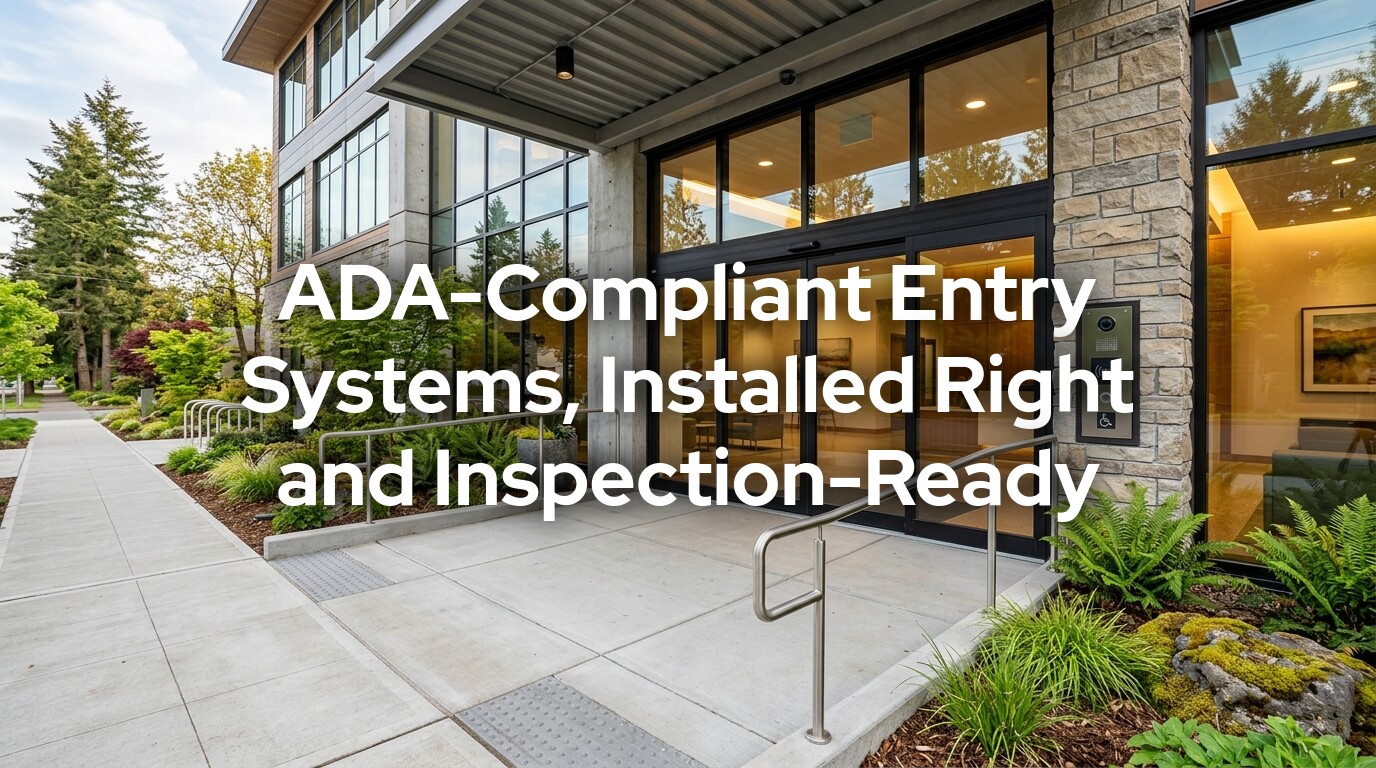
ADA Automatic Door & Entry Installation should begin with the whole entry, not just the door operator. A push button, low-energy operator, accessible keypad, or automatic door opener only solves the problem when the route, door, hardware, controls, power, clearances, opening force, safety, and documentation all work together.
Emerald Gate Systems installs ADA entry and door automation for Washington commercial buildings, public-facing properties, HOAs, apartment communities, campuses, clinics, offices, retail sites, schools, managed properties, and facilities across Skagit, Whatcom, and Snohomish counties, Whidbey Island, Camano Island, the San Juan Islands, and the greater Puget Sound region.
The company is family-owned, licensed and insured, headquartered in Sedro-Woolley, and backed by more than 15 years in the trade. Emerald Gate Systems designs, fabricates, installs, automates, controls, and services entry systems through one accountable Washington team. That matters because an accessible entry may involve the door, frame, closer, lock, access control, push plate, keypad, electric strike, power supply, operator, fire access, emergency egress, and inspection documentation.
The ADA does not automatically require every commercial door to be powered. Some entries can comply as manual doors when clear width, maneuvering clearance, threshold, hardware, opening force, closing speed, route, and approach conditions meet the applicable requirements. Automatic door operators become the practical solution when manual operation remains difficult, inconsistent, or hard to document.
That is why Emerald Gate Systems uses the phrase inspection-ready carefully. It does not mean a contractor can guarantee a government approval or replace the authority having jurisdiction. It means the installation is planned, tested, documented, and presented in a way that supports the owner, property manager, inspector, architect, or general contractor with clear information instead of guesswork.
What Is ADA Automatic Door & Entry Installation in Washington?
ADA Automatic Door & Entry Installation in Washington is the process of evaluating, installing, powering, controlling, testing, and documenting accessible door and entry systems for commercial and public-facing properties. The work may include low-energy operators, push-button controls, accessible keypads, low-force door adjustments, electric locks, access control, safety devices, wiring, permits, and inspection documentation.
An ADA entry project can involve many different pieces:
- Low-energy automatic swing door operators
- Power-assist operators
- Push- button activation plates
- Wave-to-open controls where appropriate
- Accessible keypads and card readers
- Accessible intercoms and phone entry
- Electric strikes or maglocks where appropriate
- Low-force closer adjustment
- Door hardware changes
- Threshold correction
- Clear-width review
- Maneuvering-clearance review
- Power and low-voltage wiring
- Battery backup where required by design
- Fire alarm or life-safety coordination where applicable
- Inspection-ready documentation
- Maintenance planning
The entry must be evaluated as a system. A door operator may open the door, but the entry can still be difficult to use if the push button is too far away, the landing is blocked, the threshold is high, the door hardware requires tight grasping, the keypad cannot be reached, or the route to the door is too narrow.
Washington properties add site-specific conditions. Rain, wind, corrosion, exterior thresholds, dark winter conditions, power interruptions, public sidewalks, covered walkways, parking routes, and older commercial door frames can all affect the final recommendation.
ADA entry work is also more documentation-sensitive than many other gate and door projects. Owners may need product information, photos, activation locations, wiring notes, permit records, adjustment notes, test results, and maintenance guidance.
Does Every Commercial Building Need an ADA Automatic Door?
Every commercial building does not automatically need an ADA automatic door. The better question is whether the required accessible entrance can be used by people with disabilities under the applicable standards and site conditions. If manual clearances, hardware, opening force, route, and operation are not practical, automatic door automation may be the best solution.
A manual door can sometimes meet accessibility requirements when it has the proper clear opening, maneuvering space, compliant hardware, acceptable opening force, suitable threshold, and a route that allows users to approach, open, pass through, and close or clear the door.
Automatic operation is often considered when:
- The door is difficult to pull open.
- The closer must be strong for wind, stack pressure, or security.
- The entrance serves the public.
- The entry is used by patients, residents, customers, students, or visitors with mobility limitations.
- The property receives complaints about access.
- The door serves a clinic, care facility, school, municipal space, office, apartment, or retail entrance.
- Manual operation is inconsistent after repeated closer adjustments.
- The property needs better documentation before inspection.
- Accessible keypad or intercom placement is part of the same issue.
- The door is part of a tenant improvement, renovation, or access upgrade.
Automatic operation can improve access, but it does not automatically make the entry compliant. The surrounding route, activation control, door swing, hardware, clear floor space, signage, power behavior, and egress must still be evaluated.
A trustworthy contractor should not sell an operator as a universal shortcut. Sometimes a closer adjustment, hardware change, threshold correction, route clearing, or keypad relocation is part of the solution. Sometimes a door operator is the most practical part of a larger correction.
Request a free ADA entry review before assuming the problem is only the door operator.
Which Properties Benefit From ADA Entry and Door Automation?
ADA entry and door automation can benefit commercial buildings, clinics, retail stores, offices, schools, campuses, municipal properties, apartments, condominiums, HOAs, public-facing facilities, medical offices, tenant spaces, and managed properties where entry must be easier, safer, more predictable, or better documented.
| Property type | Common entry issue | Possible solution | Important coordination |
|---|---|---|---|
| Retail storefront | Heavy entrance door, limited maneuvering, customer complaints | Low-energy operator, push plate, closer adjustment | Sidewalk clearance, threshold, weather, storefront layout |
| Medical or care office | Patients need easier entry while carrying mobility aids | Push-button operator, accessible controls, electric latch coordination | Power, egress, inspection records, staff use |
| Apartment or condo | Residents and visitors need accessible controlled entry | Automatic operator, accessible keypad, video intercom, credential system | Resident management, visitor access, fire access, maintenance |
| School or campus | High public use, changing user needs, controlled access | Low-energy operators, accessible card readers, intercoms | Schedules, security, emergency procedures, inspections |
| Office or professional building | Public entrance or tenant entry needs easier access | Push-button door automation and hardware review | Landlord approval, tenant improvement scope, route clearance |
| Municipal or public-facing site | Public route and service counter access must be practical | Accessible entry controls, automatic doors, documentation | Public route, right-of-way, inspection, maintenance |
| HOA or managed community | Controlled pedestrian entry, accessible gate or door access | Accessible keypad, intercom, pedestrian gate automation where appropriate | Resident credentials, visitor access, route planning |
Some properties need full door automation. Others need accessible controls, adjusted hardware, improved route clearance, or access-control changes. The review should identify the barrier before recommending equipment.
A clinic entrance used by patients may need a different approach than a staff-only service door. A public storefront may need a push-button operator that works reliably in rain and wind. A controlled apartment lobby may need both a low-energy door operator and a keypad or intercom that can be reached from the accessible route.
The property owner should also think about who maintains the system. Door operators, buttons, sensors, locks, access controls, wiring, and batteries need service. If the system is part of a compliance strategy, maintenance records matter.
What Is a Push-Button Door Operator?
A push-button door operator is a powered system that opens a pedestrian door after a user activates a push plate, button, wave switch, card reader, keypad, intercom release, or other permitted control. In many commercial ADA entry projects, the operator is a low-energy swing door operator designed for deliberate user activation.
Push-button operators are commonly used at:
- Storefront entrances
- Medical offices
- Public counters
- Apartment lobbies
- Community rooms
- School entrances
- Office entrances
- ADA route doors
- Managed building entries
- Accessible pedestrian gates where appropriate
A push-button operator may sound simple, but installation involves several decisions. The door must be suitable for automation. The operator must be mounted correctly. The arm must clear surrounding conditions. The activation button must be reachable from the proper side of the door. The door must have safe movement, suitable delay, and predictable closing.
Low-energy operators are not the same as high-speed automatic sliding doors found at grocery stores. A low-energy swing operator typically opens after a knowing act, such as pressing a button, and is often used where adding automatic assistance to an existing hinged door is practical.
The activation control is just as important as the operator. A push plate placed too close to the door swing, behind an obstruction, above reach range, or without clear floor space can create a new accessibility problem while trying to solve the old one.
Power, wire routing, surface conduit, aesthetics, weather exposure, access control, and emergency egress should also be discussed before the operator is installed.
Ask Emerald Gate Systems to review the door, route, control location, lock, power, and inspection documentation before approving a push-button operator.
What Are Low-Force Doors and Why Do They Matter?
Low-force doors matter because many accessibility problems begin with a door that technically opens but is too difficult for users to operate consistently. Door closers, hinges, weatherstripping, latch resistance, air pressure, wind, threshold condition, and frame alignment can all affect force and usability.
A door may feel acceptable to a strong user and still be difficult for someone using a wheelchair, walker, cane, stroller, delivery cart, crutches, or limited hand strength.
Common causes of excessive door force include:
- Over-tightened closers
- Worn hinges
- Binding frame or sagging door
- Weatherstripping friction
- Latch misalignment
- Stack pressure or air pressure
- Exterior wind exposure
- Threshold drag
- Rubbing panic hardware
- Door sweep resistance
- Security hardware that resists release
Sometimes the first correction is mechanical adjustment. If the door can be made easier to operate while still closing, latching, and meeting life-safety needs, automation may not be the only answer.
Other doors need powered assistance because reducing closer force creates another problem. Exterior doors may need enough closing force to latch against wind or pressure. Secure entries may require reliable latching. Public buildings may have frequent users carrying bags, mobility aids, medical equipment, or deliveries.
Automatic door operators often become the practical solution when the door cannot remain both easy to operate and reliable as a manual door.
A low-force door review should be performed before and after automation. A powered operator should not hide a damaged hinge, dragging threshold, warped frame, or misaligned latch that will shorten the life of the operator.
How Should Push Buttons and Accessible Controls Be Located?
Push buttons and accessible controls should be located where a person can approach, reach, activate, and move through the door without being hit by the door swing, blocked by an obstruction, forced off the accessible route, or required to twist, pinch, grip tightly, or stand in a hazardous position.
Accessible control placement should review:
- Forward or side approach
- Clear floor space
- Reach range
- Door swing
- Latch side clearance
- Wall space
- Recessed entry conditions
- Threshold and landing
- Weather cover
- Visibility and contrast
- Pedestrian traffic
- Wheelchair and mobility-aid movement
- Strollers and carts
- Door opening time
- Exit-side activation
- Service access
A push button should not be installed simply where wiring is easiest. Poor button placement can make an automatic door difficult or unsafe to use.
For example, a button placed too close to the hinged side of an outswinging door may force a user into the door path. A button placed behind a planter, display, trash can, rail, or sign may be technically present but not usable. A button placed on a narrow landing may not give enough room to wait while the door opens.
Exterior controls need weather planning. Rain, condensation, vandalism, cold weather, and low winter light can affect operation and visibility. Public-facing controls should be durable and easy to understand.
Where access control is involved, the push button, keypad, card reader, intercom, and door release should be coordinated. Users should not have to operate several controls in an awkward sequence to enter.
For controlled entries, review access control systems when buttons, keypads, card readers, intercoms, and door operators need to work together.
What Are Accessible Keypads, Card Readers, and Intercoms?
Accessible keypads, card readers, and intercoms are entry controls installed so users can reach and operate them from the accessible route without tight grasping, excessive reach, unsafe positioning, or obstruction. They are often needed at apartment lobbies, HOAs, offices, clinics, schools, commercial gates, and controlled pedestrian entries.
Accessible access-control planning should consider:
- Mounting height
- Clear floor space
- Approach direction
- Reach over obstructions
- Door swing and waiting position
- Display visibility
- Button size and contrast
- Audio quality
- Lighting and glare
- Rain protection
- Instructions
- Directory usability
- Remote release timing
- Credential handling
- Emergency access
A keypad that works electrically can still fail the user if it is mounted behind a curb, planter, gate swing, fence return, narrow landing, or parked vehicle. A video intercom may be difficult to use if the screen is unreadable in glare or if the speaker is too quiet near traffic.
Access-control devices at pedestrian gates deserve the same care as door controls. A person should not have to stand inside the path of a moving gate or reach through a fence to use a reader.
For apartments and HOAs, individual credentials are usually better than one shared code. For public-facing buildings, the control should be simple enough for first-time visitors to understand.
For businesses, the administrator must know how to add and remove users. A perfectly mounted reader still creates a security problem if former employees, tenants, or vendors keep active credentials.
Accessible controls should be planned before walls, pedestals, conduit, stonework, gates, and storefront finishes are finalized.
How Do ADA Door Operators Work With Electric Locks and Access Control?
ADA door operators often need to coordinate with electric strikes, maglocks, latch retraction, panic hardware, card readers, keypads, intercoms, push buttons, fire alarm interfaces, and emergency egress. The operator cannot open the door correctly unless the lock and hardware release in the proper sequence.
A typical controlled automatic entry may need a sequence like this:
- A user presents a credential or presses a call button.
- The access-control system verifies permission.
- The lock or latch releases.
- The door operator receives the open signal.
- The door opens for the required time.
- The user passes through.
- The door closes safely.
- The lock or latch secures again.
If that sequence is wrong, the system may fail even when each individual component is working. The operator may push against a locked door. The lock may release without opening the door. The door may open before the latch retracts. The intercom may call successfully but fail to trigger the release.
Life-safety and egress must be respected. A controlled entry cannot trap occupants or interfere with required exiting. Some systems require fire alarm coordination, request-to-exit devices, emergency release, fail-safe or fail-secure planning, and approval from the authority having jurisdiction.
Older doors may need hardware changes before automation. Panic hardware, narrow-stile aluminum doors, storefront locks, electric strikes, closers, hinges, pivots, and door frames must all be evaluated.
Access control also affects documentation. The owner should know which device controls entry, who manages credentials, what happens during a power outage, and how emergency entry or exit is handled.
When the project includes a keypad, card reader, intercom, or electric lock, treat the door operator as one part of a complete access-control sequence.
What Is Inspection-Ready ADA Documentation?
Inspection-ready ADA documentation is the organized record that shows what was installed, where controls were placed, how the entry was tested, what equipment was used, which permits or approvals apply, and what the owner must maintain. It supports review, but it does not guarantee approval by an inspector or authority.
Useful documentation may include:
- Project address and entry location
- Existing condition photographs
- Final condition photographs
- Door operator manufacturer and model
- Push-button or activation device details
- Control locations
- Mounting height notes
- Clear floor space observations
- Door swing and route observations
- Hardware and lock information
- Power supply and wiring notes
- Electrical permit information where applicable
- Access-control sequence notes
- Fire or emergency coordination notes where applicable
- Testing record
- Owner training notes
- Manual release or emergency procedure
- Maintenance recommendations
- Warranty and service information
Inspection-ready does not mean overpromising. The inspector, code official, architect, engineer, building owner, fire authority, or other reviewer may require additional information. The contractor should be clear about what it can document and what requires professional design or jurisdiction approval.
Documentation is especially useful for commercial buildings, apartments, public-facing entrances, healthcare or care-related settings, schools, campuses, and tenant improvements where multiple parties may later ask what was installed.
Maintenance records should continue after installation. A compliant-looking entry can fail users if the push button stops working, the closer changes, the battery fails, the keypad is replaced in the wrong location, or the door begins dragging.
Keep ADA entry records with the building files, not only in one manager’s email inbox. Future inspections, tenant changes, and service calls are easier when documentation is preserved.
Which ADA Standards and Technical Requirements Affect Entries?
ADA entry work may involve accessible routes, entrances, doors, gates, clear width, maneuvering clearances, thresholds, hardware, opening force, closing speed, operable parts, reach ranges, and accessible controls. The exact requirements depend on the property, route, door type, existing conditions, alteration scope, and authority having jurisdiction.
The 2010 ADA Standards for Accessible Design set minimum requirements for newly constructed or altered state and local government facilities, public accommodations, and commercial facilities.
The U.S. Access Board guide to entrances, doors, and gates explains practical scoping and technical requirements for doors, doorways, and gates on accessible routes.
Relevant entry issues may include:
- At least one compliant accessible door, doorway, or gate where required
- Clear opening width
- Maneuvering clearance
- Threshold height and beveling
- Door hardware that does not require tight grasping, pinching, or twisting
- Opening force
- Closing speed
- Door and gate series conditions
- Accessible route connection
- Operable- parts reach and usability
- Controls located outside unsafe door swing conflicts
The U.S. Access Board accessible routes guide explains that accessible routes include components such as walking surfaces, doorways, ramps, curb ramps, elevators, and platform lifts where permitted.
The U.S. Access Board operable parts guide is relevant for push buttons, keypads, switches, readers, and other controls that users must operate.
Standards are not a substitute for site review. A contractor should not assume the route is usable just because an operator was installed. Clear space, reach, threshold, hardware, route condition, and power-loss behavior still need attention.
How Do ANSI and BHMA Standards Affect Automatic Door Operators?
Automatic pedestrian doors and low-energy power-operated doors are also affected by ANSI and BHMA standards referenced by accessibility and industry guidance. The correct standard depends on the door type and operation. Low-energy swing operators are not the same as high-speed automatic doors with sensing activation.
The ANSI/BHMA A156.19-2026 summary describes requirements for power-assist and low-energy power-operated swing door operators for pedestrian use. It also states that the standard addresses operators, not the door, finish, or hardware.
That distinction matters. A low-energy operator can be appropriate, but the door, frame, hinges, closer, lock, threshold, route, push button, and access-control sequence still need to be evaluated separately.
Automatic doors that open when approached by pedestrians may involve different standards and equipment than doors activated by a knowing act, such as a push plate. The type of door should match the property, traffic, user needs, and safety conditions.
Signage, opening speed, hold-open time, safety behavior, control placement, and maintenance should follow manufacturer instructions and applicable standards. A door operator should not be installed as a generic motor without commissioning and testing.
Owners should also understand that standards can be updated. The project should be reviewed against the requirements and products applicable at the time of installation, not from memory or an old template.
For inspection-sensitive work, keep the product data and installation documentation in the building file. If a reviewer asks what was installed and how it was configured, the owner should not have to guess.
Which Washington Permits and Approvals May Apply?
ADA door automation may require electrical permits, city or Washington L&I inspection, owner approval, tenant improvement review, fire or life-safety coordination, building review, access-control approval, or documentation for the authority having jurisdiction. Requirements depend on the address, property type, scope, equipment, and wiring.
Washington Labor and Industries explains that electrical permits and inspections must be obtained from the correct jurisdiction. Some cities operate their own electrical permit and inspection programs, while other jobsites are handled by L&I.
Permit questions may arise when the project includes:
- New door operator power
- Low-voltage control wiring
- Electric strikes or electric latch retraction
- Maglocks or controlled egress hardware
- Access-control panels
- Intercoms and keypads
- Power supplies
- Fire alarm interface
- Battery backup
- Powered gates or pedestrian gate operators
- New conduit or electrical modifications
Commercial buildings may have additional review based on occupancy, tenant work, fire alarm systems, egress paths, exterior route work, or public-facing access. Educational, institutional, health, or personal-care facilities may have additional plan review or inspection expectations depending on jurisdiction and scope.
Owner approval can be separate from government permits. A tenant may need landlord authorization. An HOA may need board approval. A campus may need facilities approval. A franchise may have brand standards.
The proposal should identify what Emerald Gate Systems is handling and what the owner, general contractor, electrician, architect, engineer, fire alarm contractor, landlord, or property manager must provide.
Confirm jurisdiction, permits, power, fire coordination, and owner approval before the door operator or access-control hardware is ordered.
What Happens During an ADA Entry Review?
An ADA entry review evaluates the complete path from arrival to entry. The technician reviews the accessible route, door, threshold, opening force, closing speed, hardware, clearances, controls, power, access devices, egress, weather exposure, documentation needs, and whether automation, adjustment, repair, or hardware changes are the practical solution.
- Identify the entry purpose. Public entrance, tenant entrance, employee entrance, resident entrance, clinic entrance, school entry, or controlled access point.
- Review the accessible route. Look at approach, surface, slope, clear width, curb ramps, landings, doors, and obstructions.
- Check the door condition. Review frame, hinges, closer, pivots, threshold, sweep, weatherstripping, latch, lock, and alignment.
- Test manual operation. Determine whether the door opens, closes, latches, and clears predictably.
- Review hardware. Identify knobs, levers, pulls, panic hardware, electric locks, strikes, maglocks, and latch retraction.
- Evaluate force and usability. Determine whether manual operation is practical or whether automation is needed.
- Locate controls. Plan push plates, buttons, readers, keypads, intercoms, and switches for reachable, safe use.
- Plan power and wiring. Identify power source, conduit path, low-voltage wiring, permit questions, and device locations.
- Review access control. Confirm how credentials, intercoms, releases, and administrator roles will work.
- Discuss egress and emergency behavior. Confirm that the system does not interfere with required exiting or emergency procedures.
- Identify approvals. Discuss electrical permits, fire coordination, landlord approval, ADA documentation, and inspection needs.
- Prepare recommendations. Explain whether the project needs adjustment, repair, new hardware, an operator, access-control changes, or broader route work.
A review may reveal that the door operator is only one part of the project. The door may need hinge repair. The threshold may need correction. The keypad may need relocation. The access-control sequence may need to release the lock before the operator opens.
The goal is not to install the most equipment. The goal is to create an entry that users can operate and the owner can document, maintain, and explain.
Call Emerald Gate Systems at (360) 657-9975 to schedule an ADA entry review before committing to a door operator, keypad, intercom, or access-control change.
How Is an ADA Automatic Door Installed?
An ADA automatic door installation moves from review and scope confirmation through hardware correction, power planning, operator installation, activation control placement, access-control integration, testing, documentation, and owner training. The sequence should confirm that the door works mechanically before the operator is relied on.
- Confirm scope. Define whether the project is a public entry, tenant entry, controlled lobby, restroom door, community room, office entrance, or pedestrian gate.
- Repair door conditions. Correct hinge, closer, threshold, frame, latch, sweep, or hardware issues that would strain the operator.
- Plan controls. Locate push plates, buttons, wave switches, keypads, card readers, or intercom release points.
- Plan power and wiring. Identify electrical jurisdiction, power supply, conduit, low-voltage wiring, and permits.
- Install operator. Mount the low-energy operator, arms, covers, and related hardware according to product requirements.
- Integrate locks if needed. Coordinate electric strikes, latch retraction, maglocks, panic hardware, or controlled hardware.
- Install activation devices. Place push buttons, plates, switches, or readers in usable locations.
- Set timing and movement. Adjust opening, hold- open, closing, and sequencing according to the door and operator requirements.
- Test both sides. Confirm entry and exit use where applicable, including controlled and emergency conditions.
- Test access-control sequence. Confirm credential, keypad, intercom, release, and operator behavior.
- Document the installation. Record equipment, control locations, permit information, settings, photos, and maintenance guidance.
- Train the owner. Explain operation, resets, signs of trouble, manual behavior, and service procedures.
The door should be tested as real users will use it. A single push from the installer does not prove the system is ready for a public entrance, resident lobby, clinic, or school.
Where several doors are involved, the sequencing between vestibule doors, security doors, interior doors, and exterior doors should be reviewed carefully. The user should not be required to move through a timed sequence that closes too quickly or leaves insufficient space.
How Do ADA Entries Work With Gates and Pedestrian Gates?
ADA entry work can include pedestrian gates and controlled exterior entries when those gates are part of an accessible route. The gate must be evaluated for clear width, hardware, maneuvering space, opening force, controls, threshold or surface change, route continuity, and separation from vehicular gate movement.
Pedestrian gates are often used at:
- Apartment communities
- HOAs
- Commercial campuses
- Schools
- Pool or amenity areas
- Controlled courtyards
- Service entries
- Public-facing outdoor facilities
- Private communities
A pedestrian gate should not be treated like a smaller driveway gate. People use it differently. They may approach with a wheelchair, walker, stroller, cane, delivery cart, service animal, or limited hand function.
Access control adds another layer. A keypad, card reader, intercom, or phone entry device must be reachable and usable from the accessible route. A user should not have to stand in mud, reach through a fence, lean into a gate swing, or block the route to operate the control.
Automated vehicular gates should not be used as the normal pedestrian access route. Where people need regular access, a separate pedestrian gate or controlled door is often more appropriate.
Emerald Gate Systems can coordinate pedestrian gates, access control, keypads, intercoms, and automatic operators where appropriate so vehicle and pedestrian movement are not mixed improperly.
Review automatic gate installation and access control systems when ADA entry work connects to a gated property or community entrance.
How Does ADA Door Automation Fit Storefronts and Retail Entrances?
ADA door automation for storefronts and retail entrances should support customers entering from sidewalks, parking areas, curb ramps, outdoor seating, weather-exposed walkways, and vestibules. The installation should account for door weight, storefront hardware, aluminum frames, thresholds, push- button location, signage, power, and access during business hours.
Retail entry issues often include:
- Heavy exterior doors
- Narrow vestibules
- Limited latch-side clearance
- Threshold wear
- Weatherstripping resistance
- Wind pressure
- Door closers adjusted too strong
- Displays blocking approach space
- Outdoor furniture or signs blocking controls
- Customers using mobility aids
- Staff propping doors open because entry is difficult
A storefront operator should not be installed without looking at the route. A push plate hidden behind a sandwich board, merchandise display, planter, or trash can will not support access. A narrow vestibule may need special timing or review of both doors.
Storefront doors often use aluminum frames, pivots, closers, deadlatches, panic hardware, or electric strikes. The hardware should be evaluated before automation so the operator is not forced to fight a misaligned or binding door.
Where storefront protection is also an issue, bollards may need to be planned without blocking the accessible route. Vehicle protection and ADA access should not be solved separately.
Review bollard installation when storefront vehicle protection must be coordinated with the accessible entrance.
How Does ADA Entry Installation Fit Medical, Clinic, and Care Facilities?
Medical, clinic, and care facilities often benefit from ADA door automation because patients, residents, caregivers, delivery staff, and visitors may need easier entry while using mobility aids, carrying supplies, or navigating appointments. These properties also tend to need better documentation and clearer maintenance procedures.
Common access issues include:
- Patients struggling with heavy doors
- Wheelchair users needing more time through the entry
- Caregivers assisting another person while opening the door
- Staff moving carts or medical supplies
- Public entries with high user variation
- Secure doors with electric locks
- After-hours controlled access
- Inspection and documentation requirements
- Power and life-safety coordination
Medical and care-related facilities may have additional review, plan requirements, or inspection sensitivity depending on the scope and jurisdiction. Electrical permits, fire alarm coordination, door hardware, emergency egress, and access-control sequences should be clarified before installation.
Automatic operation can improve access, but a poorly planned sequence can create problems. For example, a patient may press a button but the electric latch may not release before the operator pushes. Or the door may close too quickly for a wheelchair user moving through a vestibule.
Owner training is important in care environments. Staff should know how the operator behaves, how to turn it off if needed, how to report problems, and who manages any access-control features.
Documentation should be kept with building records. Staff turnover can erase practical knowledge if manuals, model numbers, settings, and service contacts are not preserved.
How Does ADA Entry Installation Fit Apartments, Condos, and HOAs?
ADA entry installation for apartments, condos, and HOAs often involves controlled lobby doors, pedestrian gates, community rooms, mailrooms, leasing offices, amenities, accessible keypads, intercoms, resident credentials, and visitor entry. The system must support residents and visitors while remaining manageable for the property.
Common needs include:
- Accessible lobby entry
- Push-button door operators
- Accessible call boxes
- Reachable card readers
- Video intercoms
- Phone entry directories
- Resident credentials
- Visitor access
- Delivery workflows
- Move-in and move-out access
- Community room entry
- Amenity gates
- Pedestrian gate access
- Maintenance contracts
Community properties need an administrator. Someone must add and remove residents, change phone numbers, issue replacement credentials, manage guest access, and coordinate repair. An accessible system that is not managed becomes unreliable over time.
Shared codes can create security and access issues. Individual credentials or controlled visitor entry often work better for communities with turnover.
Accessible keypads and intercoms should be placed where residents and visitors can use them from the accessible route. A call box mounted too far from the path or too close to a swinging gate may not be practical.
Automatic doors in apartment buildings should also be integrated with egress, fire access, security, and maintenance. The property should know what happens during a power outage and how residents are notified if the system is out of service.
Learn more about HOA and community gate systems when accessible entry is part of a larger resident and visitor access plan.
How Does ADA Entry Installation Fit Schools, Campuses, and Public Buildings?
Schools, campuses, and public buildings need ADA entry systems that support students, staff, visitors, families, deliveries, maintenance, security, and emergency response. The design should balance accessibility with controlled access, supervision, life safety, weather exposure, and documentation.
Common school and campus entry issues include:
- Heavy exterior doors
- Controlled public entries
- Card-reader access for staff
- Visitor intercoms
- Door operator timing
- Vestibule sequencing
- Security hardware
- Accessible routes from parking and sidewalks
- Door hardware that requires twisting or tight grasping
- Emergency egress
- Plan review and inspection expectations
- Maintenance staff training
Security and accessibility should not be treated as opposing goals. A controlled entry can still be accessible when readers, buttons, intercoms, doors, locks, and procedures are designed together.
Campus entries often involve several departments. Facilities, security, administration, IT, maintenance, fire alarm vendors, architects, and general contractors may all need to coordinate. The proposal should identify who owns each scope.
Automatic operators need testing during realistic use. A school entry may see a rush of students, families, staff, and visitors. The operator timing and control placement should not create congestion or confusion.
Where bollards or vehicle protection are installed near public entries, their layout should not narrow or block accessible routes. Vehicle protection and accessible entry design should be coordinated before concrete work.
For schools, campuses, and public buildings, request inspection-ready documentation and owner training as part of the entry automation scope.
ADA Entry Installation in Bellingham
ADA entry installation in Bellingham should be handled as a local section on the Bellingham page and linked back to this ADA door automation service page. Bellingham properties may include downtown commercial buildings, clinics, campuses, apartments, offices, retail spaces, restaurants, waterfront properties, and managed facilities.
Bellingham ADA entry projects may involve:
- Public storefront doors
- Clinic and professional office entrances
- Apartment lobby access
- Accessible keypads and intercoms
- Campus entries
- Older doors with heavy closers
- Rain-exposed entries
- Controlled access doors
- Tenant improvement work
- Inspection documentation
Downtown and public-facing properties often need practical solutions that fit existing storefront frames, sidewalks, vestibules, and tenant conditions. A push-button operator may be the right solution, but the surrounding route, control placement, threshold, closer, and lock must also be reviewed.
Bellingham content should not be split into a separate thin ADA door URL. The Bellingham location page should carry the local city relevance, while this service page carries the complete ADA entry, standards, documentation, and installation authority.
For Bellingham owners and managers, the strongest approach is to document the existing condition, identify the barrier, select the right operator or access-control fix, and preserve the installation record for future review.
Call (360) 657-9975 to discuss a Bellingham ADA entry, automatic door operator, accessible keypad, or controlled lobby project.
ADA Entry Installation in Everett
ADA entry installation in Everett should become a section on the Everett location page and link back to this ADA door automation service page. Everett properties may include warehouses, offices, storefronts, apartments, clinics, schools, public-facing facilities, managed sites, and mixed-use commercial buildings.
Everett ADA entry work may involve:
- Commercial building entries
- Apartment and condo lobby doors
- Retail storefront doors
- Medical office entries
- Campus or facility access
- Accessible card- reader placement
- Push-button door operators
- Electric latch release
- Fire and egress coordination
- Door automation maintenance
- Inspection-ready records
Everett commercial and managed properties may have higher daily use than a smaller private office. A door operator should be selected for the actual traffic, user needs, hardware, and control sequence.
Apartment and managed properties need administrator planning. A door operator may make the physical door easier to use, but the keypad, intercom, resident directory, credential list, and maintenance process must also support accessibility.
Industrial or warehouse properties may need accessible pedestrian entries separate from commercial gate or vehicle access. Employees and visitors should not be directed through a vehicle gate when a safer accessible pedestrian route is needed.
The Everett city page should carry local examples and local service relevance. This service page should remain the authority for ADA door automation, accessible controls, low-force doors, and documentation.
For an Everett ADA entry review, describe the building type, door location, user groups, access-control equipment, and inspection concern when contacting Emerald Gate Systems.
How Do Washington Weather and Building Conditions Affect ADA Entries?
Washington weather and building conditions affect ADA entries through rain, wind, corrosion, exterior thresholds, wet landings, door closer adjustment, power interruptions, older storefront hardware, dark winter conditions, and high public use. These conditions can make a door harder to operate or maintain without careful planning.
Weather-related issues may include:
- Wind pressure against exterior doors
- Closer force increased to make doors latch
- Rain reaching activation buttons
- Water pooling at thresholds
- Exterior mats creating obstructions
- Salt air affecting hardware near coastal sites
- Cold weather changing battery or operator behavior
- Dark winter entry conditions
- Corrosion at exposed hardware
- Door sweeps dragging after seasonal changes
A door that opens easily in calm weather may be difficult on a windy day. A closer set light enough for manual use may fail to latch reliably against weatherstripping or pressure. Those conditions often drive the decision to install a powered operator rather than repeatedly adjust the closer.
Exterior push buttons and keypads should be protected from rain where practical. They should also be visible and usable in low light.
Older commercial buildings may have frame, threshold, or hardware issues that should be addressed before automation. A door operator installed over a binding hinge or misaligned latch may fail early.
Coastal buildings in Anacortes, Whidbey, Camano, Everett waterfront areas, and the San Juan Islands may need more attention to corrosion, hardware finish, fasteners, and service intervals.
Ask Emerald Gate Systems to review door force, latching, weather exposure, threshold, and control placement during the site visit rather than assuming one operator model solves every condition.
What Does ADA Door Automation Cost?
ADA door automation cost depends on the door condition, operator type, mounting, controls, power, wiring, access control, electric locks, fire or egress coordination, permits, documentation, and whether the surrounding route, threshold, hardware, or frame needs correction. Emerald Gate Systems does not publish one universal price because the scope varies by entry.
Cost drivers may include:
- Low-energy operator type
- Single door or pair of doors
- Existing door condition
- Closer, hinge, pivot, or frame correction
- Threshold or weatherstripping work
- Push plates or wave switches
- Interior and exterior controls
- Accessible keypad or card reader relocation
- Electric strike or latch retraction
- Access-control integration
- Intercom or phone entry connection
- Fire alarm or egress coordination
- Power source and conduit route
- Battery backup where included
- Electrical permit and inspection
- Documentation package
- Travel, ferry, or remote-site requirements
- Maintenance plan
A low advertised device price may not include installation, wiring, activation devices, access-control integration, permit responsibilities, hardware correction, testing, or documentation.
Cost can sometimes be controlled by solving the right problem first. A door may need a closer adjustment and accessible hardware rather than a full operator. Another door may need automation because manual operation cannot remain reliable and usable.
For commercial buildings, the lowest initial quote is not always the best value. Inspection records, user complaints, downtime, failed latching, and repeated service visits can cost more than a properly planned installation.
Request an itemized ADA entry proposal that separates operator equipment, controls, hardware work, access control, wiring, permits, documentation, and owner responsibilities.
How Long Does ADA Door Automation Take?
ADA door automation timing depends on the number of entries, existing door condition, equipment availability, power, wiring, access-control integration, permits, owner approval, fire or egress coordination, documentation needs, and whether the building remains occupied during work.
A straightforward low-energy operator on a suitable door may move faster than a controlled lobby entry with electric locks, intercom release, fire coordination, access-control programming, and inspection documentation.
The project may include:
- Initial entry review
- Door condition assessment
- Hardware and access-control review
- Scope and quote approval
- Permit and jurisdiction confirmation
- Equipment ordering
- Power and wiring preparation
- Door repair or adjustment
- Operator installation
- Push-button or control installation
- Access-control integration
- Testing and adjustment
- Documentation and owner training
Occupied commercial buildings require scheduling. Work may need to occur outside peak public hours, after business hours, or in phases so the entrance remains usable.
Permits and coordination can affect timing. Fire alarm interfaces, landlord approval, city electrical programs, or general contractor sequencing may add steps.
Owners can reduce delays by providing door information, photographs, access-control details, landlord approval status, floor plans, known inspection issues, and contact information for the property manager or general contractor.
What Maintenance Does an ADA Automatic Door Need?
An ADA automatic door needs maintenance for the operator, arms, fasteners, controls, wiring, locks, hinges, closers, sensors where used, timing, signage, threshold, access-control sequence, and power behavior. Maintenance is important because a broken or misadjusted system can quickly become an accessibility barrier.
Maintenance may include:
- Testing operator function
- Checking push buttons and activation plates
- Testing inside and outside activation
- Checking door speed and hold-open timing
- Inspecting arms, brackets, and covers
- Checking hinges, pivots, and frame condition
- Testing electric locks or strikes
- Confirming access-control sequence
- Checking power supplies
- Inspecting exposed wiring and conduit
- Testing manual operation
- Checking threshold and door sweep condition
- Reviewing signage
- Cleaning controls
- Updating documentation after changes
Maintenance frequency should reflect use. A public clinic entrance, apartment lobby, school entry, or high-use commercial door may need more frequent inspection than a low-use staff entrance.
Owners should call for service when the door opens slowly, does not latch, hits the stop hard, ignores a button, closes too quickly, fails after rain, makes new noise, loses access-control release, or becomes difficult to use manually.
Do not disable a door operator and leave the entry as the only accessible route without a plan. If an automatic door fails, the property may need temporary procedures until repair is complete.
Use gate repair and maintenance for broader service when the accessible entry is tied to a gate, access-control system, intercom, or managed property maintenance plan.
Should You Repair, Upgrade, or Replace an Existing ADA Door Operator?
Repair may make sense when the operator is supported, the door is sound, controls are correctly placed, and the problem is isolated. Upgrade may be better when activation devices, access control, documentation, or hardware no longer fit the property. Replacement may be needed when the operator is obsolete, unsafe, unsupported, or installed on a poor door.
| Condition | Likely direction | What to review |
|---|---|---|
| Button stopped working | Repair | Switch, wiring, power, operator input, water exposure |
| Door operator pushes against locked door | Sequence correction | Electric strike, latch retraction, access-control relay, timing |
| Door drags or binds | Door repair before operator work | Hinges, pivots, threshold, frame, closer, sweep |
| Control is unreachable | Relocation or redesign | Clear floor space, reach, route, door swing, wiring |
| Operator is obsolete | Replacement review | Parts availability, safety, wiring, controls, documentation |
| Entry lacks documentation | Inspection-ready update | Product data, photos, locations, permit information, test records |
| Building use changed | Scope review | Traffic, users, access control, occupancy, route, management |
Existing systems often fail because the original installation treated the operator as an add-on. The new review should examine the complete entry.
Some repairs are simple. A failed button or loose wire may be corrected quickly. Other failures reveal deeper problems, such as a door that binds, a lock that releases too slowly, or a control mounted in the wrong location.
A replacement operator should not be installed without confirming that the door is worth keeping and that the new equipment can meet the property’s current needs.
Before replacing equipment, ask for a repair-versus-upgrade review that includes the door, hardware, controls, power, documentation, and user needs.
What Common ADA Entry Installation Mistakes Should Be Avoided?
Common ADA entry installation mistakes include installing the operator without reviewing the route, placing push buttons where users cannot reach them safely, ignoring door hardware, skipping permit questions, failing to coordinate locks, forgetting power-loss behavior, and calling the work inspection-ready without documentation.
Mistake 1: Treating the operator as the whole solution
A door operator helps movement, but the entry still needs route clearance, usable controls, compliant hardware, suitable threshold, safe sequencing, and maintenance. A motor alone does not make the whole entry usable.
Mistake 2: Poor push-button placement
Push buttons should not be hidden behind doors, planters, displays, rails, signs, or narrow landings. Users need enough clear space to activate the control and move through the door.
Mistake 3: Ignoring the lock sequence
The lock must release before the operator tries to open the door. Electric strikes, latch retraction, maglocks, intercoms, card readers, and push buttons must be sequenced properly.
Mistake 4: Automating a damaged or binding door
A poor door strains the operator and can create repeated failures. Hinges, pivots, frame alignment, thresholds, latches, and closers should be checked before automation.
Mistake 5: Missing permits or electrical review
Door operators, access controls, electric locks, and power supplies may require electrical permitting. The correct Washington jurisdiction should be confirmed before work begins.
Mistake 6: Blocking the accessible route with bollards or displays
Storefront signs, planters, security bollards, outdoor dining, merchandise displays, and mats can undermine the entry even after automation is installed.
Mistake 7: Failing to train the owner
Owners and managers need to know how to use, reset, maintain, and report problems with the operator and access-control system.
Mistake 8: No documentation package
Inspection-sensitive work should not rely on memory. Equipment, control locations, permits, testing, manuals, and maintenance guidance should be kept in the building file.
Why Choose Emerald Gate Systems for ADA Door Automation?
Emerald Gate Systems installs ADA entry and door automation as part of complete entry-system work, not as isolated button-and-motor installation. The team can evaluate doors, pedestrian gates, access control, keypads, intercoms, electric locks, routes, power, documentation, and future service together.
That matters because accessible entries often sit at the intersection of several trades. A door hardware issue can affect the operator. A keypad location can affect usability. A gate layout can affect the pedestrian route. A power problem can affect the operator and access control. Missing documentation can affect the owner’s inspection response.
Emerald Gate Systems is based in Sedro-Woolley and serves Northwest Washington from within the region. The company brings more than 15 years in the trade, in-house fabrication capability, access- control experience, automatic gate experience, repair capability, and inspection-ready ADA documentation practices.
The company works with commercial buildings, HOAs, apartments, schools, clinics, offices, storefronts, campuses, managed sites, and public-facing properties across Skagit, Whatcom, and Snohomish counties, Whidbey Island, Camano Island, the San Juan Islands, and greater Puget Sound.
Emerald Gate Systems does not claim that every entry needs the most expensive automation package. Some doors need adjustment. Some need hardware. Some need accessible controls. Some need an operator and full access-control integration. Some need broader route work that must be handled with the owner, architect, general contractor, or authority having jurisdiction.
The right recommendation starts with the entry itself. Who uses it? What is difficult? What was flagged? What equipment is already installed? What documentation exists? What happens during power loss? Who maintains the system?
Call Emerald Gate Systems at (360) 657-9975 or request a free ADA entry review for push-button operators, low-force doors, accessible keypads, controlled entries, and inspection-ready documentation.
If you are still working out which requirements apply to your building, our guide to ADA door requirements in Washington State walks through clear width, opening force, and maneuvering clearance, and access control systems in Northwest Washington covers how accessible controls tie into credentials and entry logs.
Frequently Asked Questions About ADA Entry and Door Automation
Does every commercial building need an ADA automatic door?
No. Every commercial building does not automatically need an ADA automatic door. A manual door may be acceptable when the accessible route, clear width, maneuvering clearance, threshold, hardware, opening force, and closing behavior meet applicable requirements. Automatic operation becomes practical when manual use remains difficult or difficult to document.
The right answer depends on the property, door condition, use, route, inspection issue, and authority having jurisdiction.
What is ADA automatic door installation?
ADA automatic door installation is the process of adding a powered operator, activation controls, wiring, access-control integration, testing, and documentation to make an entry easier to use. The work should also review the door, route, hardware, threshold, opening force, clearances, and maintenance needs.
The operator is one component. The complete entry must be usable, serviceable, and documented.
What is a low-energy door operator?
A low-energy door operator is a powered operator commonly used on pedestrian swing doors that open after a knowing act, such as pressing a button or activating an approved control. It is often used for ADA entry upgrades in commercial buildings, clinics, offices, apartments, and public-facing properties.
It should be installed and adjusted with the door, hardware, activation device, timing, and user path in mind.
What is a push-button door operator?
A push-button door operator opens a door after a user presses a push plate, button, switch, or other activation device. It can help users who cannot easily pull or push a manual door, especially when door weight, closer force, wind, or mobility limitations make entry difficult.
The button must be placed where users can reach it safely from the accessible route.
Where should ADA push buttons be installed?
ADA push buttons should be placed where users have a safe approach, clear floor space, reachable height, and enough time and space to move through the doorway after activation. They should not be hidden by signs, planters, door swings, rails, merchandise, narrow landings, or other obstructions.
Button location should be reviewed before wiring, wall repair, conduit, or finish work is completed.
Can wave-to-open switches be used instead of push buttons?
Wave-to-open switches may be appropriate in some entry systems, but the choice depends on the door, user needs, environment, reliability, wiring, signage, and property requirements. They must still be reachable, understandable, weather-appropriate, and coordinated with the operator and access-control sequence.
Push plates remain common because they are visible and familiar to many users.
What makes a door low-force?
A low-force door is easier to operate because closer force, hinge condition, latch resistance, threshold drag, weatherstripping, door sweep, and frame alignment are properly adjusted or corrected. A door can feel heavy because of mechanical resistance, wind pressure, air pressure, worn hardware, or poor alignment.
Some doors cannot remain both easy to open and reliable to latch without powered assistance.
Can you adjust a door instead of installing an operator?
Sometimes yes. If the entry problem comes from closer adjustment, hinge wear, latch misalignment, threshold drag, or hardware resistance, repair or adjustment may help. If the door still cannot remain easy to use and reliable to close, an automatic operator may be the better solution.
A site review should decide the sequence instead of assuming the answer in advance.
Can an ADA door operator work with a keypad?
Yes. ADA door operators can work with keypads when the keypad, lock release, and operator are sequenced properly. The user should enter a code, the lock should release, and the operator should open the door without requiring awkward reach or repeated actions.
The keypad must be accessible from the route and should not be placed inside the door swing.
Can an ADA automatic door work with card readers or fobs?
Yes. Card readers, fobs, and mobile credentials can be integrated with ADA automatic doors when the lock, access-control panel, and operator are wired and programmed correctly. This is common for apartments, offices, schools, campuses, staff entries, and controlled commercial buildings.
The reader should be placed where users can reach it safely and where the door can open without conflict.
Can a video intercom release an ADA automatic door?
Yes. A video intercom can release an ADA automatic door when the intercom, access-control system, electric lock, and door operator are coordinated. The visitor calls, the authorized person releases the entry, the lock releases, and the operator opens the door in the correct sequence.
The intercom should be mounted where visitors can use it from the accessible route.
Can ADA door automation be installed on an existing door?
Yes, many existing doors can receive ADA door automation if the door, frame, hinges, closer, latch, threshold, hardware, power, and mounting conditions are suitable. A binding, damaged, unstable, or poorly aligned door should be corrected before the operator is installed.
Some older doors need hardware or frame work before automation is practical.
Can ADA door automation be installed on storefront doors?
Yes. ADA door automation can often be installed on storefront doors, including aluminum commercial doors, when the frame, pivots, closer, threshold, lock, and power conditions support the operator. Storefront work should also review sidewalk clearance, push-button placement, weather, and public entry use.
Displays, signs, mats, and bollards should not block the accessible route or activation controls.
Can ADA entry systems be installed on pedestrian gates?
Yes. Pedestrian gates on accessible routes may need accessible hardware, controls, clear width, maneuvering space, and sometimes automation. The gate should be separated from vehicle gate movement and should not require users to reach through fencing or stand in an unsafe location.
Pedestrian gate access often pairs with keypads, card readers, intercoms, and controlled community access.
Does an ADA automatic door need permits?
ADA automatic door projects may require electrical permits when new power, wiring, operators, electric locks, access controls, or related electrical work are installed. The correct jurisdiction may be Washington L&I or a city with its own electrical permit and inspection program.
Fire, egress, building, owner, landlord, or tenant improvement approvals may also apply.
What documentation is needed for an ADA automatic door?
Useful documentation includes product data, operator model, activation control locations, photographs, wiring notes, permit information, access-control sequence, test results, owner training, maintenance instructions, warranty information, and service contacts. Documentation supports review and future maintenance, but it does not guarantee approval.
Keep the records in the building file so future managers and inspectors can find them.
What does inspection-ready documentation mean?
Inspection-ready documentation means the installation record is organized enough to support review. It may include equipment information, control locations, power and wiring notes, permit details, photographs, testing notes, and maintenance guidance. It does not replace the inspector, architect, engineer, or authority having jurisdiction.
The phrase should be used as a documentation commitment, not a promise of automatic approval.
Can ADA automatic doors work during power outages?
ADA automatic doors may have backup power or manual operation depending on the system and design. The building owner should know what happens during a power outage, how the door can be used manually, and whether the entry serves an accessible means of egress or controlled access point.
Outage behavior should be reviewed before installation and included in owner training.
How often should ADA automatic doors be maintained?
ADA automatic doors should be maintained based on use, manufacturer guidance, exposure, and the importance of the entry. Public, clinic, apartment, school, campus, and high-use doors usually need more frequent checks than low-use staff doors. Buttons, operators, hardware, locks, timing, and access controls should be tested regularly.
Call for service immediately if the door becomes difficult to use or stops responding correctly.
What should I do if an ADA push button stops working?
Record which button failed, which side of the door is affected, whether the operator works from another control, whether the lock releases, and whether any lights or error indicators are visible. Keep the route usable through another approved method if possible and call for service.
Do not assume the button is the only problem. Wiring, power, access control, and the operator input may also be involved.
Can a door operator be added to a door with panic hardware?
Sometimes yes, but panic hardware must be evaluated carefully. The operator, latch retraction, electric strike, door position, egress requirements, fire coordination, and access-control sequence must work together. The door must still support required exiting and life-safety functions.
Do not add automation to panic hardware without reviewing the complete door assembly and jurisdiction requirements.
Can ADA automation be integrated with commercial access control?
Yes. ADA automation can be integrated with commercial access control, including keypads, readers, cards, fobs, mobile credentials, intercoms, phone entry, electric locks, and managed platforms. Integration must sequence authorization, lock release, door opening, hold-open time, closing, and relocking correctly.
Administrator ownership and maintenance should be documented after installation.
Does Emerald Gate Systems install ADA entries in Bellingham?
Yes. Emerald Gate Systems serves Bellingham and Whatcom County for ADA entry and door automation projects, including commercial buildings, clinics, offices, apartments, campuses, and controlled entries. Bellingham-specific local content should live on the Bellingham location page and link back to this service page.
Scheduling depends on scope, location, permits, owner approval, and building conditions.
Does Emerald Gate Systems install ADA entries in Everett?
Yes. Emerald Gate Systems serves Everett and Snohomish County for ADA entry and door automation projects, including storefronts, clinics, offices, apartments, schools, facilities, and managed commercial properties. Everett- specific local content should live on the Everett location page and link back to this service page.
Projects should review door condition, access control, power, permits, and documentation.
Where does Emerald Gate Systems install ADA entry systems?
Emerald Gate Systems installs ADA entry and door automation across Skagit, Whatcom, and Snohomish counties, Whidbey Island, Camano Island, the San Juan Islands, and the greater Puget Sound region. The company is headquartered in Sedro-Woolley and serves commercial, public-facing, HOA, apartment, campus, and managed properties.
Project fit depends on scope, approvals, travel, ferry requirements, electrical jurisdiction, and long-term serviceability.
How do I start an ADA door automation project?
Start by calling Emerald Gate Systems at (360) 657-9975 or using the contact form to request a free ADA entry review. Share the building address, door location, user concern, inspection issue, existing hardware, access-control equipment, photos, and any landlord, fire, electrical, or permit information.
You do not need to know the correct operator before the review. The entry condition should guide the recommendation.
Start With the Entry Barrier, Then Choose the Operator
ADA entry work is strongest when the project begins with the real barrier. Is the door too heavy? Is the control unreachable? Does the lock fail to release before the operator moves? Is the threshold difficult to cross? Is the route blocked? Did an inspector request documentation? Does the building have a public-facing entrance that users struggle with every day?
The answer may be a low-energy automatic door operator. It may be a push-button relocation. It may be closer adjustment, hinge repair, accessible hardware, access-control sequencing, threshold correction, or better documentation. Some entries need several of those items together.
Emerald Gate Systems installs ADA automatic door and entry systems as part of complete entry planning. The team can evaluate doors, pedestrian gates, keypads, card readers, video intercoms, electric locks, access control, wiring, permits, and inspection-ready documentation through one accountable Washington company.
That approach matters in commercial buildings, clinics, schools, apartments, HOAs, campuses, storefronts, and managed properties where the entry affects real users and where future managers may need to explain what was installed.
An operator alone is not the goal. A usable, maintainable, documented entry is the goal.
Call Emerald Gate Systems at (360) 657-9975 or schedule a free ADA entry review for push- button operators, low-force doors, accessible keypads, and inspection-ready documentation in Washington.
Frequently Asked Questions
Does every commercial building need an ADA automatic door?
No. Every commercial building does not automatically need an ADA automatic door. A manual door may be acceptable when the accessible route, clear width, maneuvering clearance, threshold, hardware, opening force, and closing behavior meet applicable requirements. Automatic operation becomes practical when manual use remains difficult or difficult to document.
Where should ADA push buttons be installed?
ADA push buttons should be placed where users have a safe approach, clear floor space, reachable height, and enough time and space to move through the doorway after activation. They should not be hidden by signs, planters, door swings, rails, merchandise, narrow landings, or other obstructions.
Can ADA door automation be installed on an existing door?
Yes, many existing doors can receive ADA door automation if the door, frame, hinges, closer, latch, threshold, hardware, power, and mounting conditions are suitable. A binding, damaged, unstable, or poorly aligned door should be corrected before the operator is installed.
Does an ADA automatic door need permits in Washington?
ADA automatic door projects may require electrical permits when new power, wiring, operators, electric locks, access controls, or related electrical work are installed. The correct jurisdiction may be Washington L&I or a city with its own electrical permit and inspection program.
How do I start an ADA door automation project in Washington?
Start by calling Emerald Gate Systems at (360) 657-9975 or using the contact form to request a free ADA entry review. Share the building address, door location, user concern, inspection issue, existing hardware, access-control equipment, photos, and any landlord, fire, electrical, or permit information.